EasyManua.ls Logo

HTC DURATIQ T6 - User Manual

HTC DURATIQ T6
76 pages
Print Icon
To Next Page IconTo Next Page
Loading...
Original instructions
i
User Manual
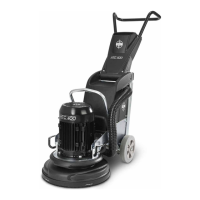
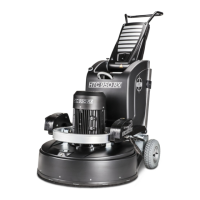
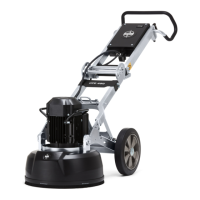
HTC DURATIQ
T6 / RT6 / X6 / RX6

Other manuals for HTC DURATIQ T6

Questions and Answers

  • K
    Kristopher MorenoSep 9, 2025
    What to do if HTC Grinder does not operate correctly?
    • L
      lthomasSep 10, 2025
      If your HTC Grinder isn't operating correctly, it might be due to a high load. Decrease the grinding pressure. If operating at high speed, lower the speed to increase strength. Check the voltage meter during operation. Ensure you are using the correct tools and that they are correctly installed. If the surface is tacky, operate half of the grinding head on the surface to be cleaned and half on the clean surface to remove remaining waste on the tools.
  • K
    Karen ColeAug 25, 2025
    Why does the fuse keep tripping on my HTC Floor Machine?
    • M
      maria68Aug 25, 2025
      A fuse might trip on your HTC Floor Machine due to: * Too high a load or too small fuses: Check the size and inertia of the fuses. * If the cause is not listed: Reduce the machine's load by reducing the grinding pressure, lowering the revs per minute, or changing the tool. Refer to the machine's power meter.
  • L
    lisa60Aug 25, 2025
    Why my HTC DURATIQ T6 cannot cope?
    • K
      Kelsey ChavezAug 26, 2025
      If your HTC Floor Machine cannot cope, consider these potential causes and solutions: * Too high a load: Reduce the grinding pressure. * If the cause is not listed: If the machine runs at high speed, lower the revs per minute to make the machine stronger. Refer to the meter for available power. * Voltage drop: Check the voltage meter during grinding. * Too sticky a coating on the surface: Run half of the machine on the surface to be cleaned and half on the clean surface to remove residue from the tools. * If the cause is not listed: Check the tools to ensure the correct tools are used, that they are in working order and correctly fitted.
  • J
    Jacqueline GarciaSep 23, 2025
    What should I do if there's a break in the grinding motor of my HTC Grinder?
    • L
      Lori JohnsonSep 23, 2025
      If there's a break in the grinding motor or its cables in your HTC Grinder, check the grinding motor cables and the grinding motor itself.
  • G
    Gabriel SpencerSep 12, 2025
    Why does the RCD open on my HTC Grinder?
    • A
      Anthony BarberSep 12, 2025
      If the RCD opens on your HTC Grinder, the RCD, EMC filter, cable harness, or converter might be defective. Check these components to resolve the issue.
  • M
    moralesjeffSep 15, 2025
    Why is the grinding motor too hot on my HTC Grinder?
    • P
      phillipnealSep 15, 2025
      If the grinding motor of your HTC Grinder is too hot, check the cooling fan of the motor and decrease the motor load, referring to the gauge for the motor current.
  • S
    Susan SimpsonSep 4, 2025
    How do I check if the grinding motor is short-circuited on my HTC DURATIQ T6?
    • A
      Allen ChungSep 4, 2025
      To check if the grinding motor is short-circuited on your HTC Floor Machine, inspect the grinding motor cabling and measure the insulation of the grinding motor.
  • K
    kevin32Sep 5, 2025
    How to troubleshoot low control voltage on my HTC DURATIQ T6?
    • L
      ladamsSep 5, 2025
      To troubleshoot low control voltage on your HTC Floor Machine, check the PSU and the battery voltage.
  • M
    Melissa WilkinsonSep 23, 2025
    What does a phase error power supply mean on my HTC Grinder?
    • E
      Elizabeth BakerSep 23, 2025
      If there's a phase error in the power supply of your HTC Grinder, it means one or more phases has no current supply. Check the current supply.
  • J
    john51Aug 30, 2025
    What to do if there is a low water level in the tank of my HTC DURATIQ T6?
    • T
      Tyler PruittAug 30, 2025
      If there is a low water level in the tank of your HTC Floor Machine, top up the water and check the level sensor.

Summary

Safety

Safety Symbols and Rules

Explanation of warning symbols and essential safety rules for machine operation.

Safety Decals and Warnings

Details on important safety decals and warnings affixed to the machine.

Machine Information

Vibration and Noise Levels

Data on hand-arm vibrations and sound power levels according to relevant standards.

Machine Description

Control Panel (HMI) Layout

Diagram and numbering of the Human-Machine Interface (HMI) control panel.

Control Panel Function Explanations

Detailed explanation of each function and button on the control panel.

Information Panel Overview

Visual representation and numbering of the machine's information display panel.

Information Panel Symbols

Explanation of the various symbols and their meanings on the information panel.

Information Panel Data Displays

Description of the data metrics shown on the information panel.

Operation

Handle Setting Adjustments

Instructions for adjusting the machine's handle for optimal working height.

Handling and Adjusting Weights

Procedure for adjusting the machine's weights to optimize grinding pressure.

Grinding Operations

Manoeuvring via Control Panel

How to control machine movement and grinding process using the control panel.

Manual Grinding Steps

Detailed steps for performing manual grinding operations.

Accessories

Radio Control Setup and Pairing

Steps for setting up and pairing the remote control with the machine.

Radio Control Operation Details

Specific controls for grinding speed, propulsion, and offset via radio.

Maintenance and Repair

Troubleshooting

Machine Will Not Start Issues

Common causes and solutions when the machine fails to start.

Fuse or Breaker Tripping

Troubleshooting for frequent tripping of fuses or earth fault breakers.

Machine Performance Problems

Solutions for when the machine cannot cope or performs poorly.

Warnings and Error Messages Overview

Overview of how warnings and error messages are displayed on the machine.

Warning Message Details

Explanation of specific warning messages and how to erase them.

Warning Message Actions

Actions to take for various warning messages like voltage or temperature issues.

Error Message Details

Explanation of specific error messages and their fault descriptions.

Error Message Actions

Actions to take for error messages like CAN bus errors or motor faults.

Technical Data

HTC DURATIQ T6 Specifications

General IconGeneral
BrandHTC
ModelDURATIQ T6
CategoryFloor Machine
LanguageEnglish

Related product manuals