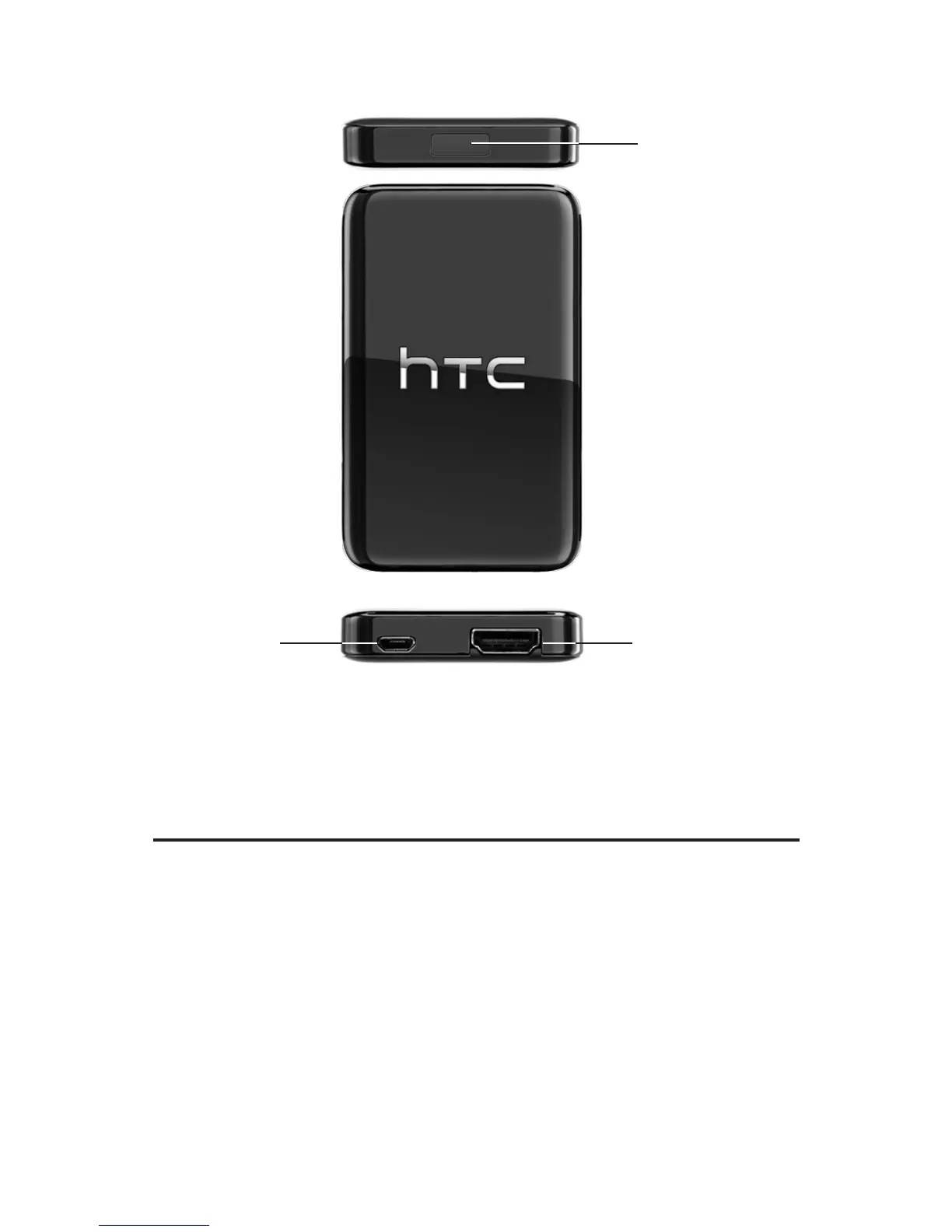
4 HTC Media Link HD
micro-USB
port
HDMI port
PBC button
Note The micro-USB port is only used for supplying power to
the HTC Media Link HD.
Connecting HTC Media Link HD to your TV
1. Connect the power adapter to the HTC Media Link HD
using the supplied USB cable.
2. Plug in the power adapter to an electrical outlet.
3. Connect the supplied HDMI cable to the HDMI port of
your HTC Media Link HD.
4. Connect the other end of the HDMI cable to your TV.


 To Next Page