Getting Connected 149
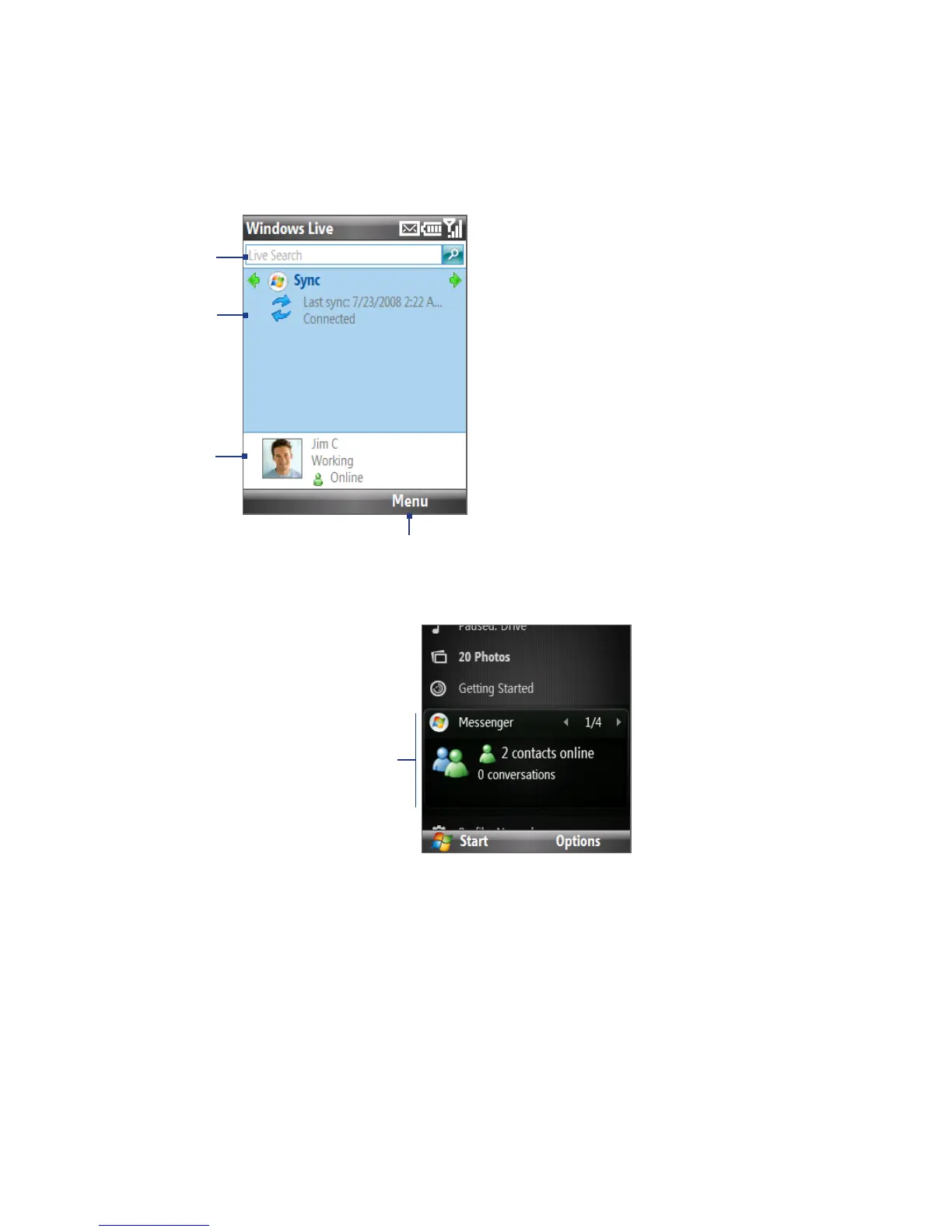
1 Windows Live Search bar.
2 Press NAVIGATION left or right to
switch among Live Mail, Messenger,
and Sync status. Click to open/
activate the selected Windows Live
component.
3 Click to access Windows Live
Messenger settings.
4 Click Menu to access and change
settings.
2
1
3
4
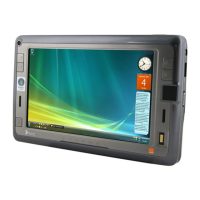
If you chose to display Windows Live services on the Home screen when you were
setting up Windows Live, you will see them on the Home screen:
Windows Live
Press NAVIGATION right/left while on the Windows Live item to go through the
available services.
To show or hide Windows Live on the Home screen, click Options > Home screen
options on the Windows Live item on the Home screen.


 To Next Page