20
7. Obtain Provisioning Server's
Address
Htek IP Phone supports to obtain the provisioning server address in below 3 ways:
Plug and Play (PnP) Server
DHCP Options
Phone Flash
The priority of obtaining the provisioning server address: PNP Server (SIP PnP MCAST)
--> DHCP Option 128 or 150 or 66 --> Configuration in Flash.
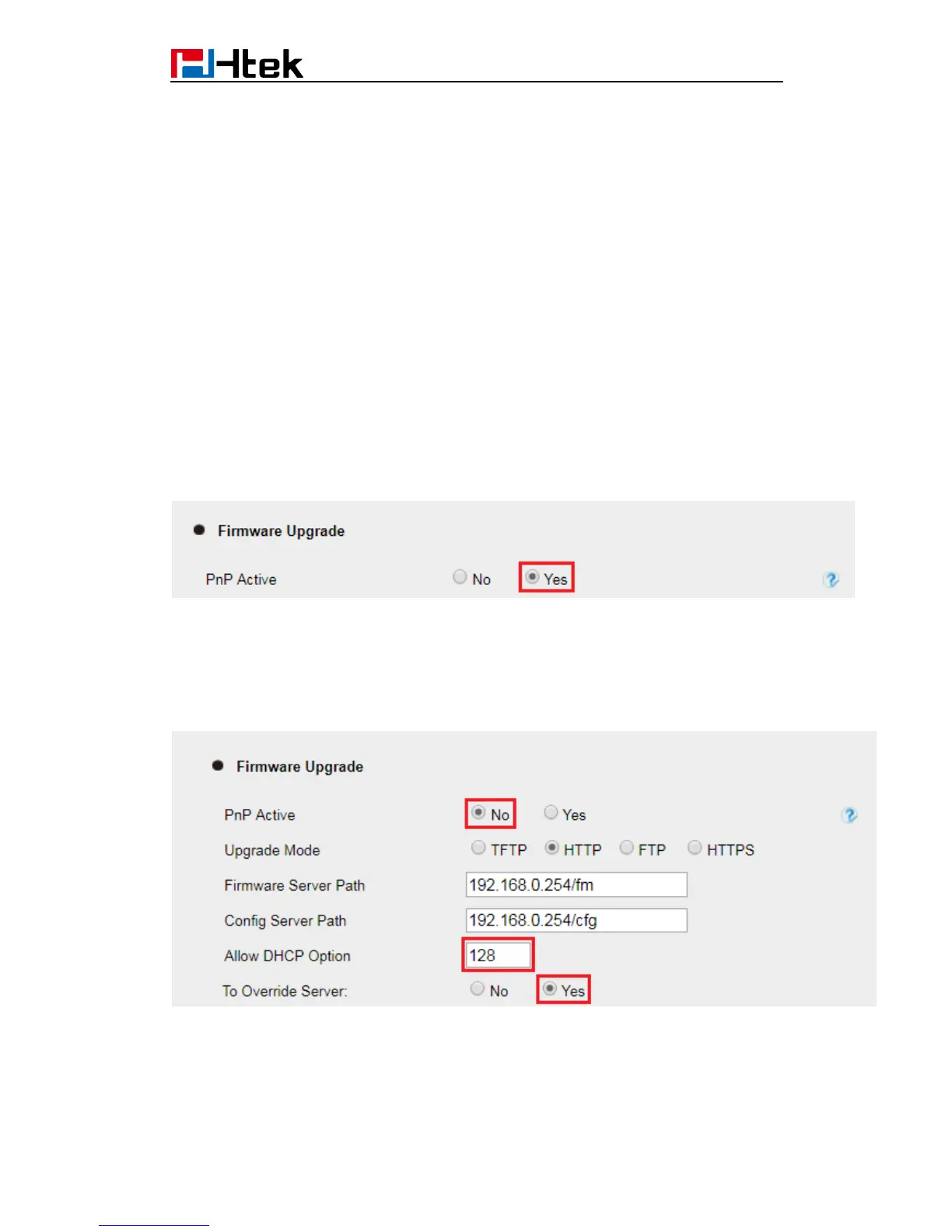
1) The PNP Server feature is enable default.
Webpage --> Management --> Auto Provision --> PnP Active: No/Yes
If you set “Yes”, the Phone will obtain the provisioning server address from the PnP
Server.
2) Setting of "DHCP Option 128 or 150 or 66":
If you set "PnP Active" to "No", login Webpage --> Management --> Auto Provision -->
Allow DHCP Option (128 or 150 or 66) To Override Server: No/Yes
If you set "To Override Server" to “Yes”, the Phone will obtain the provisioning server
address from the DHCP Option (128). For examples:
DHCP option 128 is tftp://192.168.1.240/cfg, the phone will get the configuration file from
192.168.1.240/cfg through TFTP protocol.
If the default setting is:



 To Next Page