31
13. Pre_Configuration and
Configuration Redirection
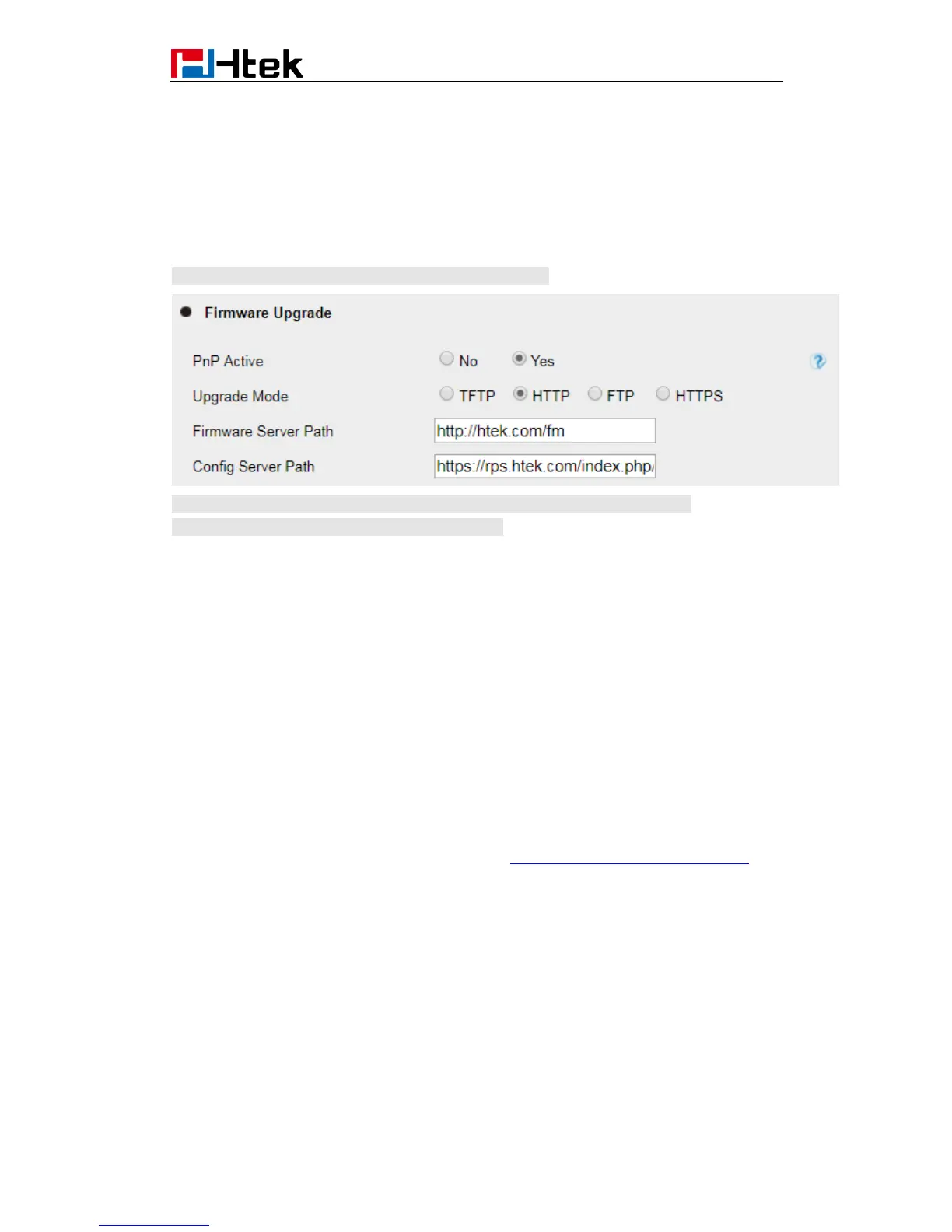
Please note:If your phone default setting is as below:
Currently Htek Phone does not support pre_configuration and configutration
Redirection, please refer to section 6 in page 24.
For mass deployment, we provide TFTP/HTTP redirection service. By default, all Htek
products point to our provisioning system. When a unit is powered up, it will automatically
contact our provisioning server. Our provisioning server will redirect the unit to customer’s
TFTP/FTP/HTTP/HTTPS server. The unit will reboot and send further provisioning request
to ask for configuration file (or firmware file) from customer’s TFTP/FTP/HTTP/HTTPS
server.
Below is the information that we need from service providers for TFTP/HTTP redirection:
1. MAC address range, this should be printed on the carton box
2. Your TFTP/FTP/HTTP/HTTPS server IP address
3. Your company name and address
Here are the things that service providers should do:
1. Create configuration files for all the devices and put them on your TFTP/HTTP
server.
2. Download the latest official release from http://www.htek.com/download.php and
put them on your TFTP/FTP/HTTP/HTTPS server (same directory as above)
3. After we inform you that the devices have been entered into our central
provisioning database, please take out a few devices to test. Upon powering up, they
should contact our provisioning server https://rps.htek.com/index.php/fn/g first, and then
get redirected to your TFTP/FTP/HTTP/HTTPS server and pull out the configuration files
and the firmware files. They will be upgraded to the latest firmware with your
configurations.


 To Next Page
 Loading...





