38
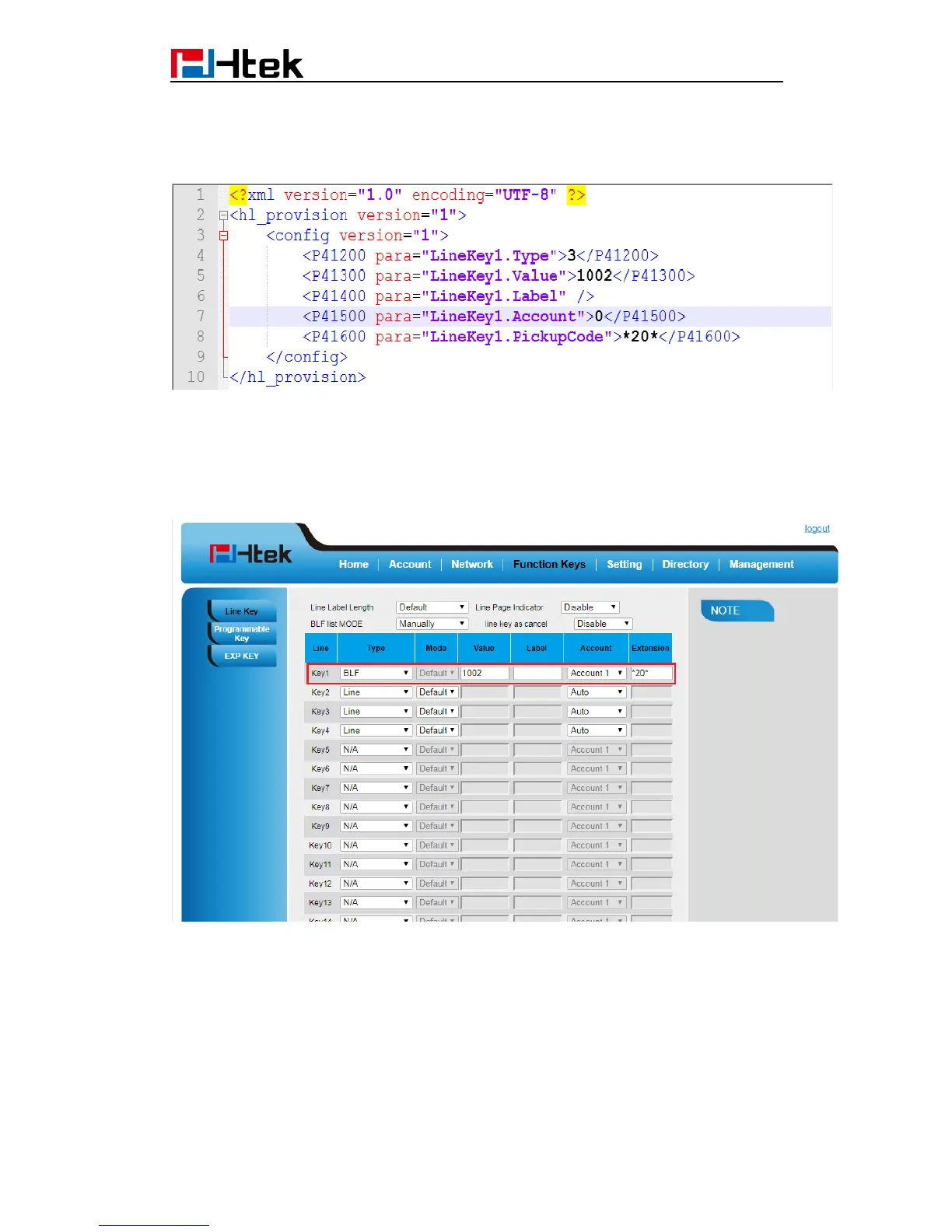
According to description of parameter, we know parameter P41200 should be 3,
parameter P41300 should be 1002 and parameter P41600 should be *20*.
Step 4: Edit cfg0012.xml as follow
Step 5: Put this XML configuration file in your config server path.
Step 6: Restart phone to apply to the settings.
2.Edit relevant parameter in the template file(template.xml)
Step 1: Login webpage, enter Function Keys -> Memory Key
Step 2 : Configure options you want, for example
Step 3: click “saveset” button to save the configuration.
Step 4: Enter Management -> Configuration
Click “Download Xml File” button to download the configuration Xml file. This file includes
all parameters of this phone.



 To Next Page