51
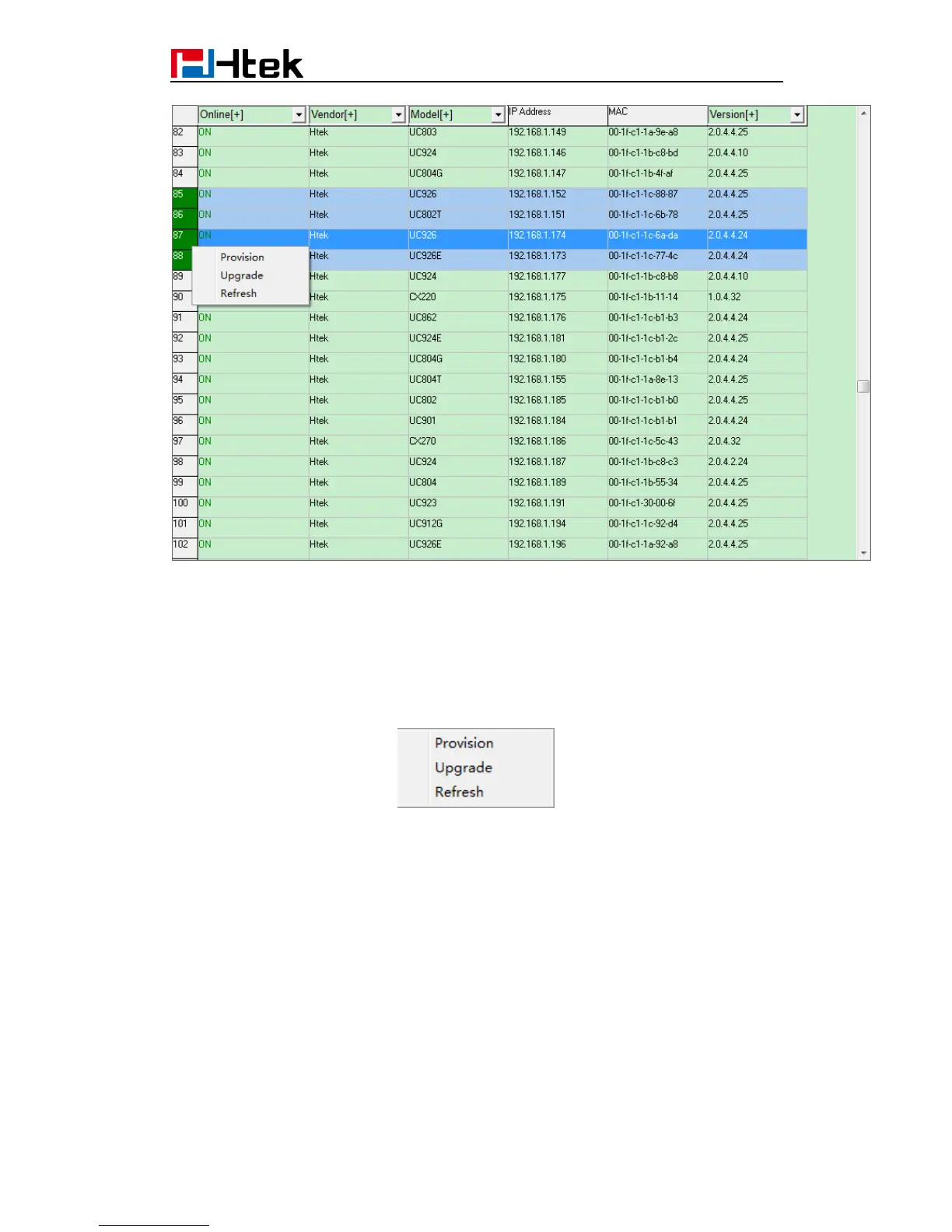
The results of the search are presented as shown in the table above. The head can be
used for the screening of device model and version number.
Click the most left num column, you can select a device, or you can select multiple
devices by hold pressing left mouse key and dragging. Click the top left corner of the form
to select all the devices of the current table. Left-click on the selected device, which will
cancel the selection.
Right click, quick menu will pop up. There are three commands:
"Provision": This command ask phones to fetch cfg file from the HTTP server where
you defined on Page “Servers”.
"Upgrade": Same as “Provision” on current HPT version.
"Refresh" : Check if the phones selected are still online.
All the selected phones will execute the command.
18.2.2 Upgrade cfgMAC file via configuring Htek IP
Phone
Step 1: Login Htek IP device’s webpage, ManagementAuto Provision:



 To Next Page