58
20. LCD and Web Language Custom
Guide
20.1 LCD Language custom guide
1. You need to contact us about how to obtain the Language.tar file.
2. Unzip the Language.tar using 7-zip tool.
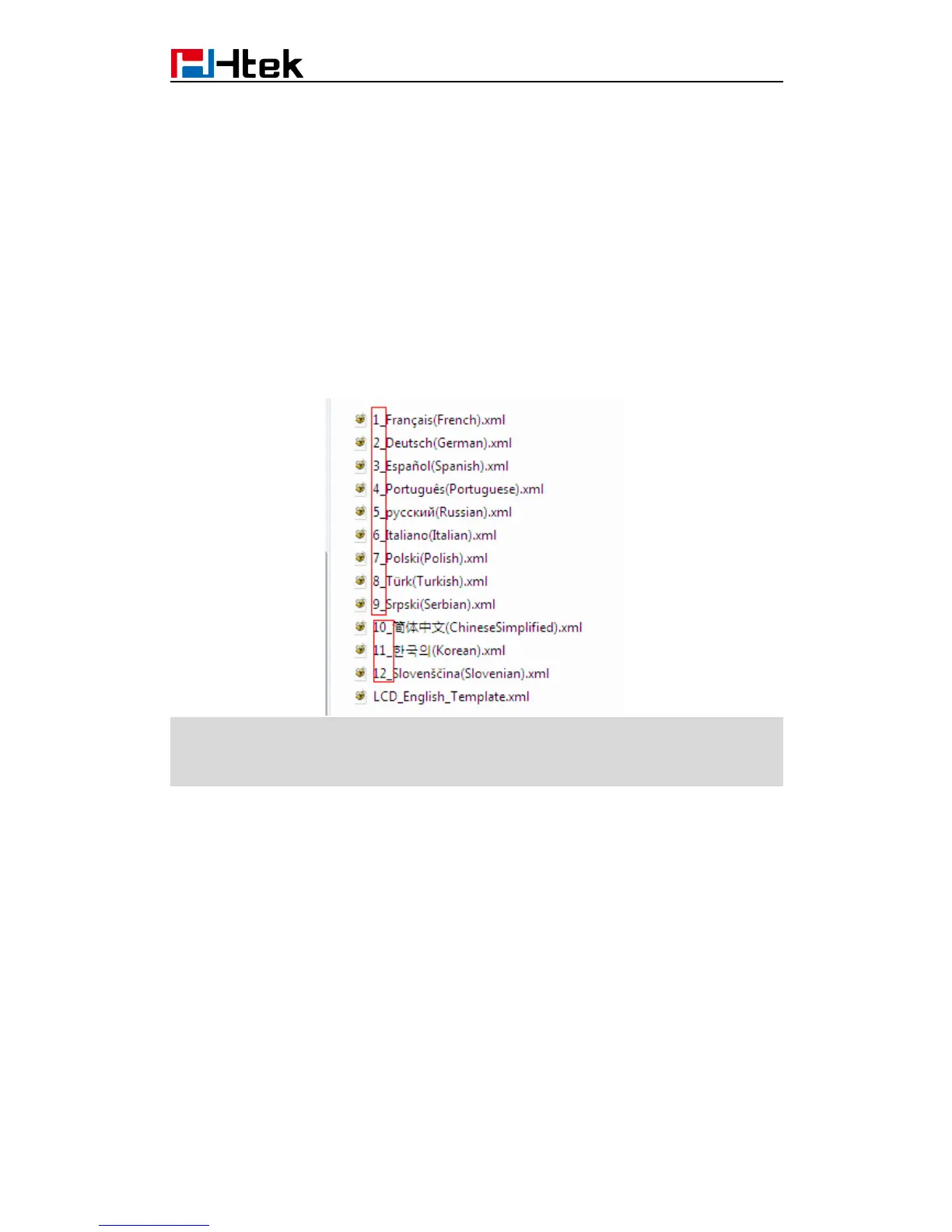
3. Open the Language folder:
Note:
The file name must be " digital_" at the beginning,the format of the file name is the order of
the on the LCD.
4. For example, custom Chinese Language
If your country's language is not existing in the language folder, you can new a xml file with
correct naming format. [e.g. 13_xxx(xxx).xml]
If your country's language in the folder, you can custom directly your language.
Open the LCD_English_Template.xml with UltraEdit Translate English into Chinese
(Can't leave out any items, otherwise the upgrade failed) save as 10_简体中文
(ChineseSimplified).xml in Language folder (Coding format is UTF-8)



 To Next Page