65
21.6 How to custom the lcdlogo_color.png?
This logo is only applicable to UC923, UC924,UC924E, UC926, UC926E.
Open hlpres folderyou can custom the lcdlogo_color.png (dimension:400*42 size:
through Photoshop tools make the size smaller) Select the hlpres folderCompress
hlpres.tar package.
Enter MenuDisplayScreensaver Time-out:1min; Screensaver Type: Time &
LogoSave, this logo displays correctly.
21.7 How to customthe lcdlogo_bw.png?
This logo is only applicable to UC601, UC901, UC902, UC903, UC912/G/GM.
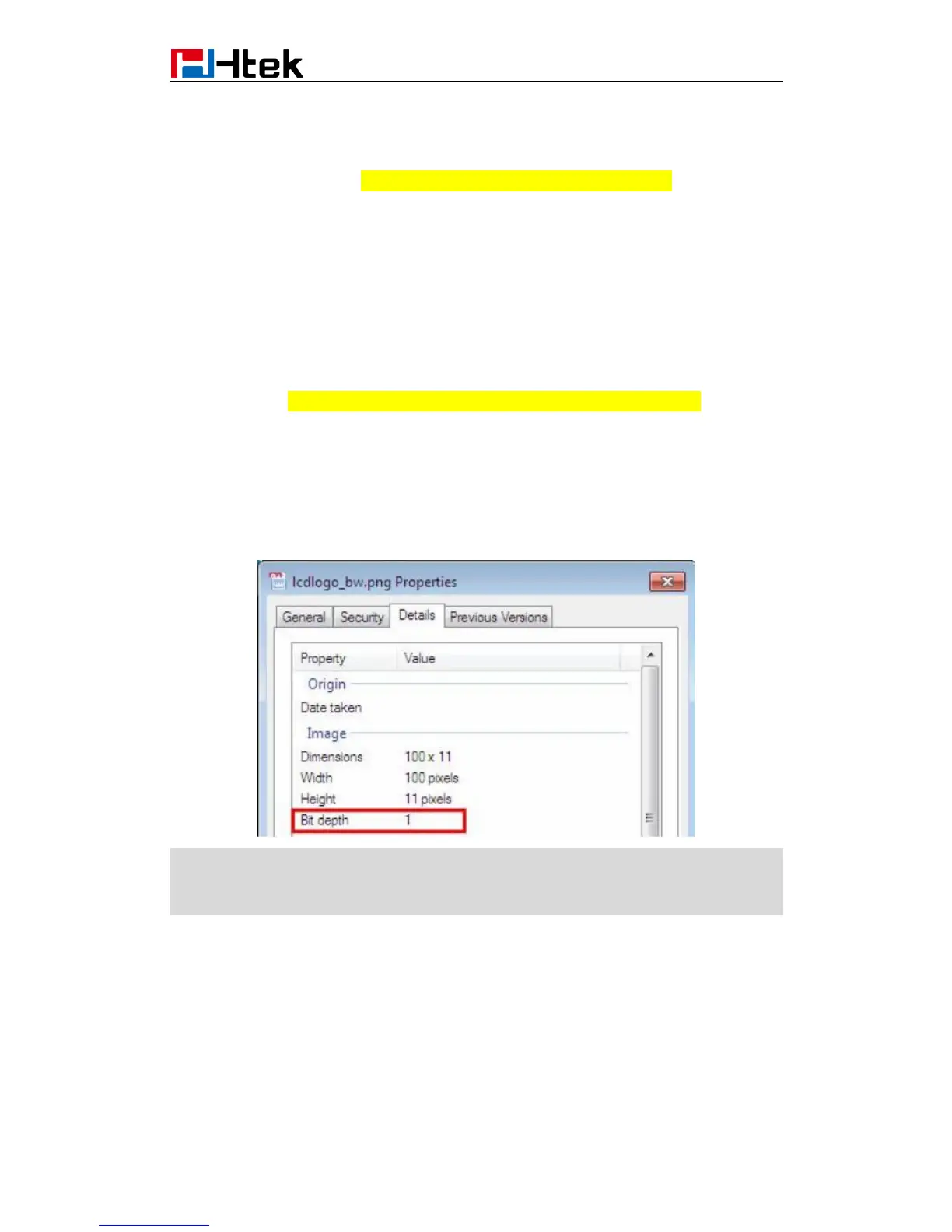
Open hlpres folderyou can custom the lcdlogo_bw.png (dimension:100*11 size: through
Photoshop tools make the size smaller) Select the hlpres folderCompress hlpres.tar
package.
Enter MenuDisplay->Screensaver Time-out:1min; Scrrensaver Type:Time &
LogoSave, this logo display correctly.
The lcdlogo_bw.png’s property must be the following standard:
Note:
The photo’s name and format must be the same as before;
The size of hlpres file is not more than 2M.
When you finish the hlpres.tar, you must send the hlpres.tar package to us, then we
provide the firmware to you.



 To Next Page