67
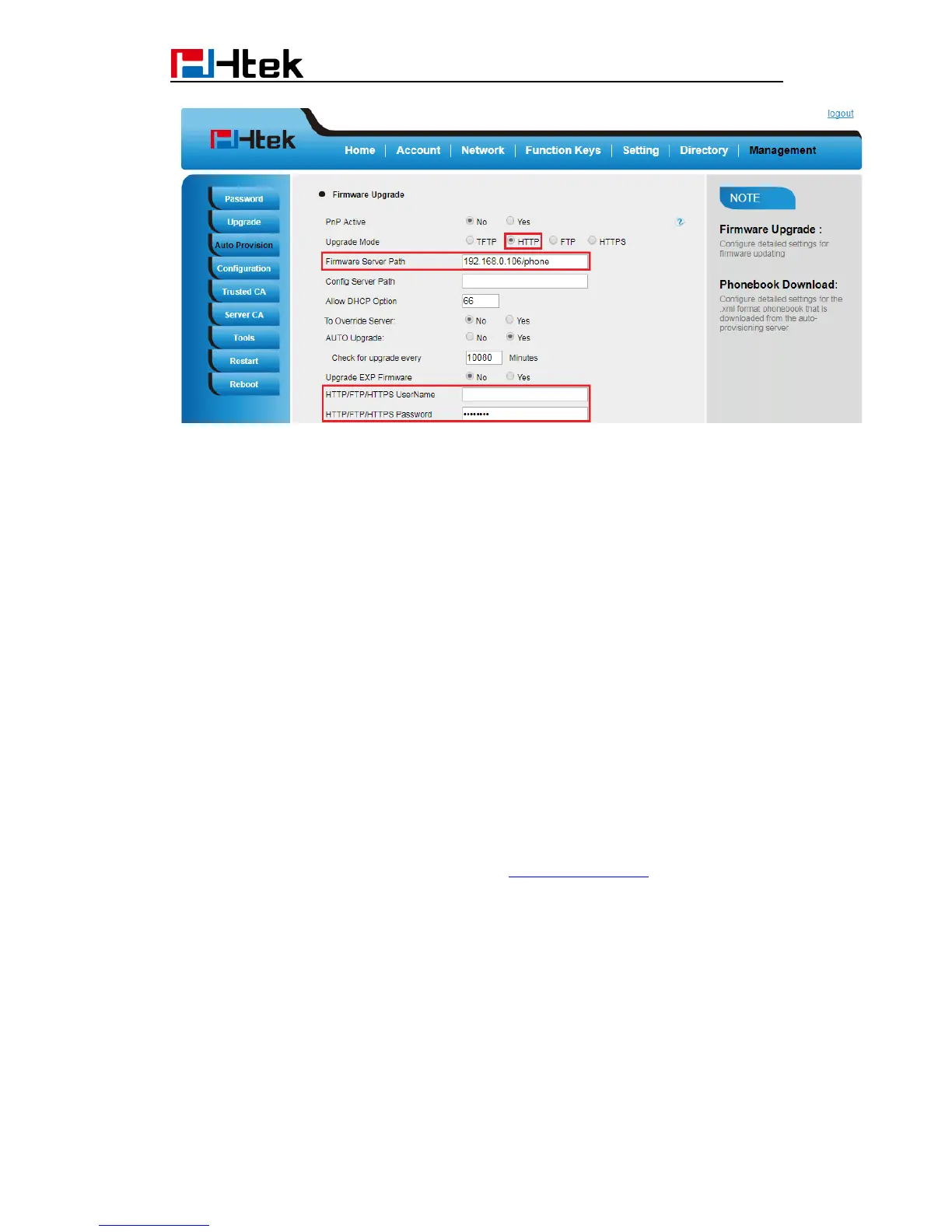
Click “SaveSet”.
(5) Restart the IP Phone, and it will restart and auto-get firmware files from HTTP server.
NOTES:
Htek recommends end-user use the Htek HTTP server. For large companies, we
recommend to maintain their own TFTP/HTTP/FTP/HTTPS server for upgrade
and provisioning procedures.
Once a “Firmware Server Path” is set, user needs to update the settings and
restart the IP Phone. If the configured firmware server is found and a new code
image is available, the IP Phone will attempt to retrieve the new image files by
downloading them into the IP Phone’s SDRAM. During this stage, the IP Phone’s
LEDs will blink fastly until the checking/downloading process is completed. Upon
verification of checksum, the new code image will then be saved into the Flash. If
TFTP/HTTP/FTP/HTTPS fails for any reason (e.g. TFTP/HTTP/FTP/HTTPS
server is not responding, there are no code image files available for upgrade, or
checksum test fails, etc), the IP Phone will stop the TFTP/HTTP/FTP/HTTPS
process and simply boot using the existing code image in the flash.
Firmware upgrade may take as long as 3 to 8 minutes over Internet, or just 1
minutes if it is performed on a LAN. It is recommended to conduct firmware
upgrade in a controlled LAN environment if possible.
Hanlong’s latest firmware is available at http://www.htek.com/ Support
Document & Firmware.
Oversea users are strongly recommended to download the binary files and
upgrade firmware locally in a controlled LAN environment.
22.2 Upgrade through TFTP
(1) We recommend that you can install a TFTP Server(e.g. SolarWinds -TFTP
-Server.exe).
(2) Make a new directory, such as D:\FM.


 To Next Page
 Loading...





