71
(4) Visit ftp://192.168.0.106/phone/fw924.rom on localhost by browser, enter username
and password, and you will view upgrade file. If visiting
ftp://192.168.0.106/phone/fw924.rom on other computer is no prompt to download
fw924.rom file, please check the firewall (Suggest close the firewall).
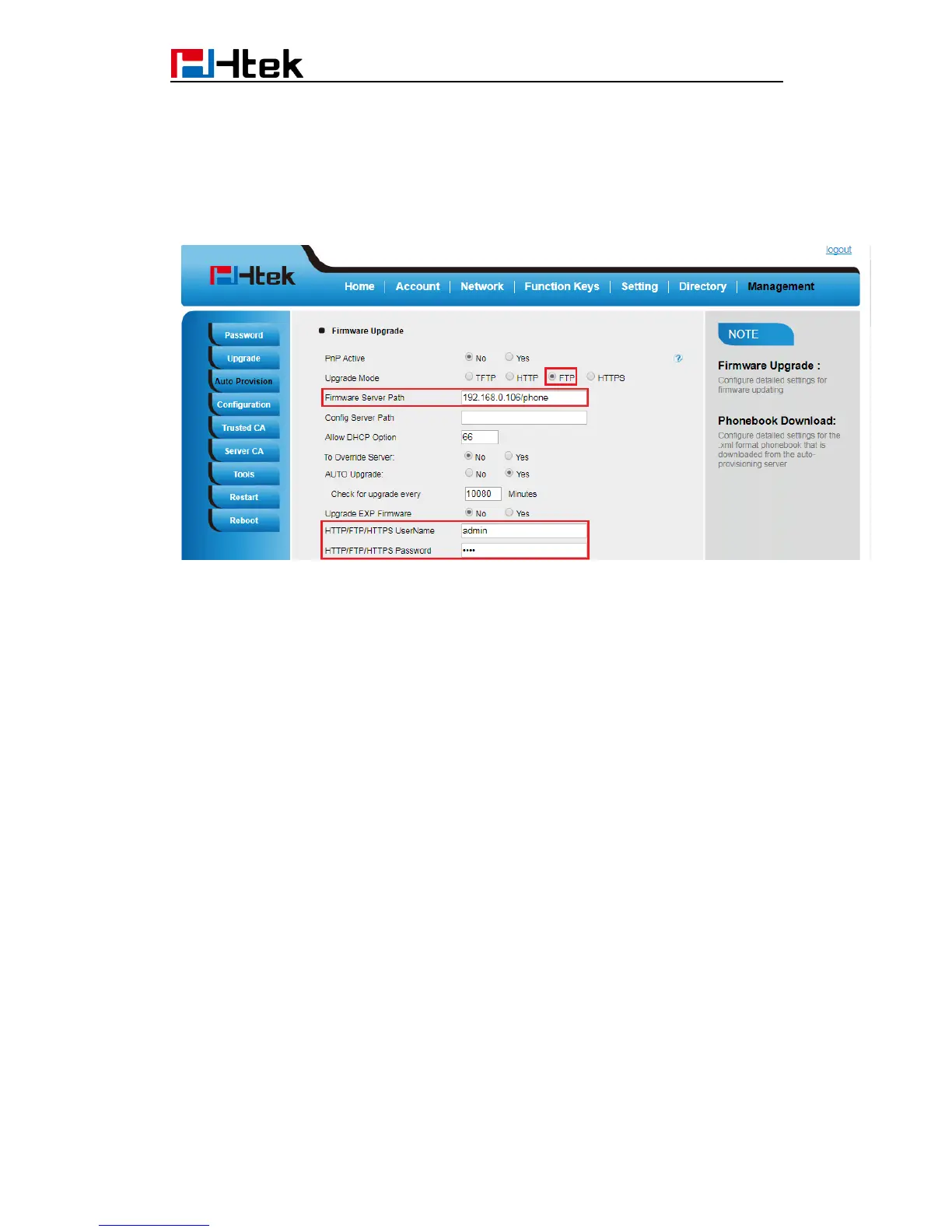
(5) Configure the Firmware Server Path in the IP Phone’s web configuration
page.( 192.168.0.106 is FTP server)
(6) Click the "SaveSet" and then click "Restart" in the webpage.
22.4 Upgrade through HTTPS
(1) Install and configure an Apache HTTPS Server in local computer.
(2) Unzip the firmware file and put all of them under the root/phone directory of the HTTPS
Server.
(3) Visit “https://192.168.0.106/phone/fw924.rom” on localhost by browser to verify the
HTTPS Server. If visiting “https://192.168.0.106/phone/fw924.rom" on other computer is
no prompt to download fw924.rom file, please check the firewall (Suggest close the
firewall).
(4) Configure the Firmware Server Path in the IP Phone’s web configuration page.
(192.168.0.106 is HTTPS server)



 To Next Page