AISU
Issue 02 (2017-06-12)
Huawei Proprietary and Confidential
Copyright © Huawei Technologies Co., Ltd.
39
Procedure
Step 1 Reconfigure the AISU.
1. Run the RMV RAE command to remove the AISU.
2. Run the SCN ALD command to rescan the AISU.
3. If the AISU SN is scanned, run the ADD RAE command to add the AISU.
− If the added AISU SN is consistent with the former SN and the alarm is cleared, no
further action is required.
− If the alarm persists, go to Step 2.
Step 2 Restart the AISU.
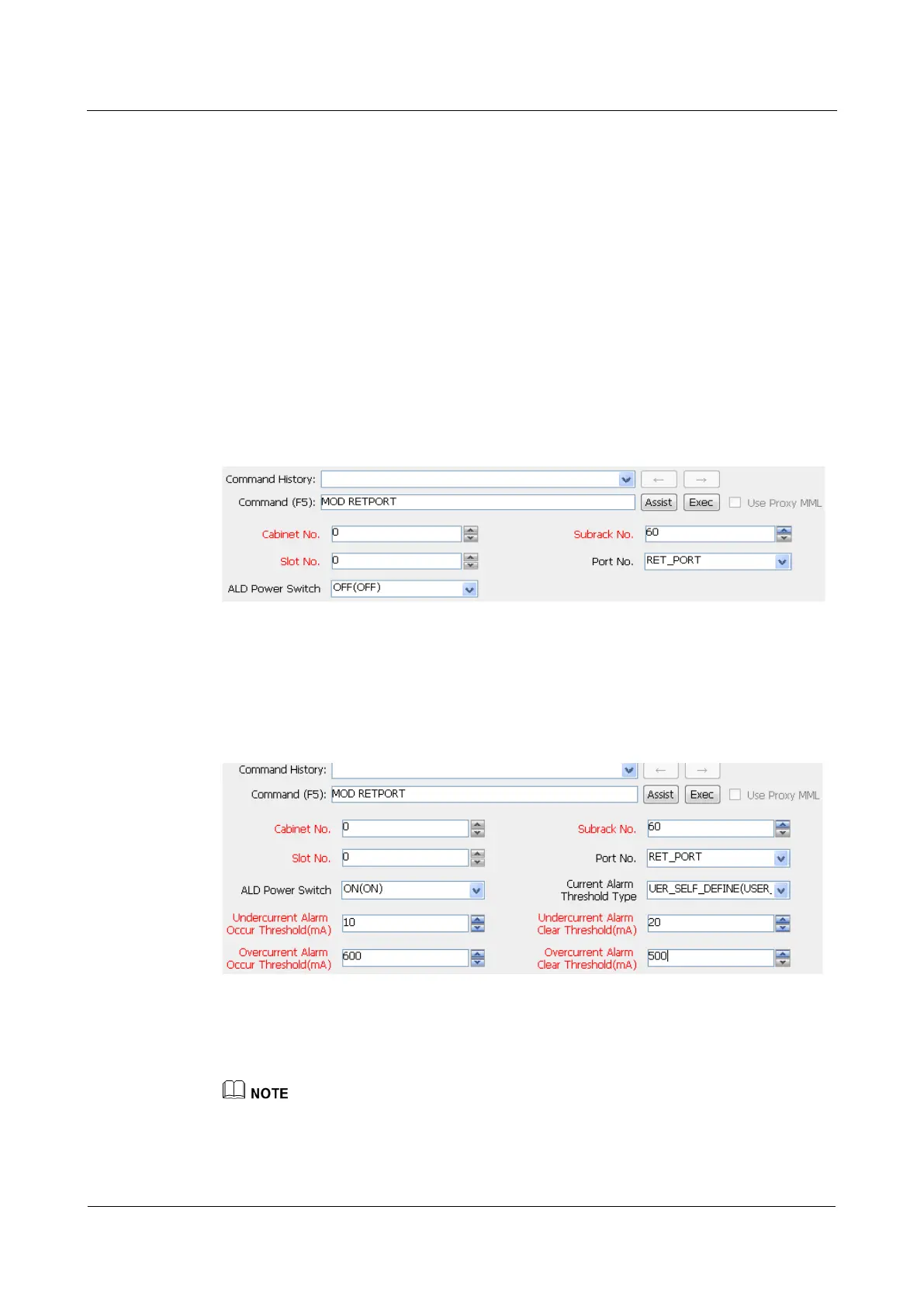
1. Run the MOD RETPORT or MOD ANTENNAPORT command to turn off the power
switch.
Figure 6-3 Turning off the RET power switch
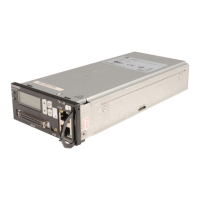
2. Run the MOD RETPORT or MOD ANTENNAPORT command to turn on the power
switch.
Parameters in Figure 6-4 are for reference only. For details about parameters during
actual configuration, see the configuration guide.
Figure 6-4 Turning on the RET power switch
3. After 5 minutes, check whether the alarm is cleared.
− If the alarm is cleared, no further action is required.
− If the alarm persists, go to Step 3.
After the AISU is restarted, engineering parameters, such as the azimuth, altitude, longitude, latitude,
and mechanical tilt, need to be measured again.


 To Next Page