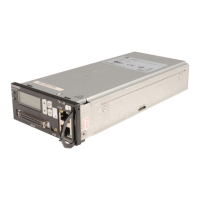
AISU
Issue 02 (2017-06-12)
Huawei Proprietary and Confidential
Copyright © Huawei Technologies Co., Ltd.
40
Step 3 Replace the AISU.
After replacing the AISU, remove the abnormal AISU, and scan, add, and configure the new
AISU. After 5 minutes, check whether the alarm is cleared.
If the alarm is cleared, no further action is required.
If the alarm persists, contact Huawei technical support engineers.
After replacing the AISU, reconfigure the AISU by referring to section 5 "Configuration Guide."
----End
6.1.3 AISU Replacement
For details, see section 3 "Installation and Replacement."
6.2 AISU Used with Base Stations of Other Suppliers
For other suppliers' base stations that support the AISU, perform maintenance based on the
IOT process and results.


 To Next Page