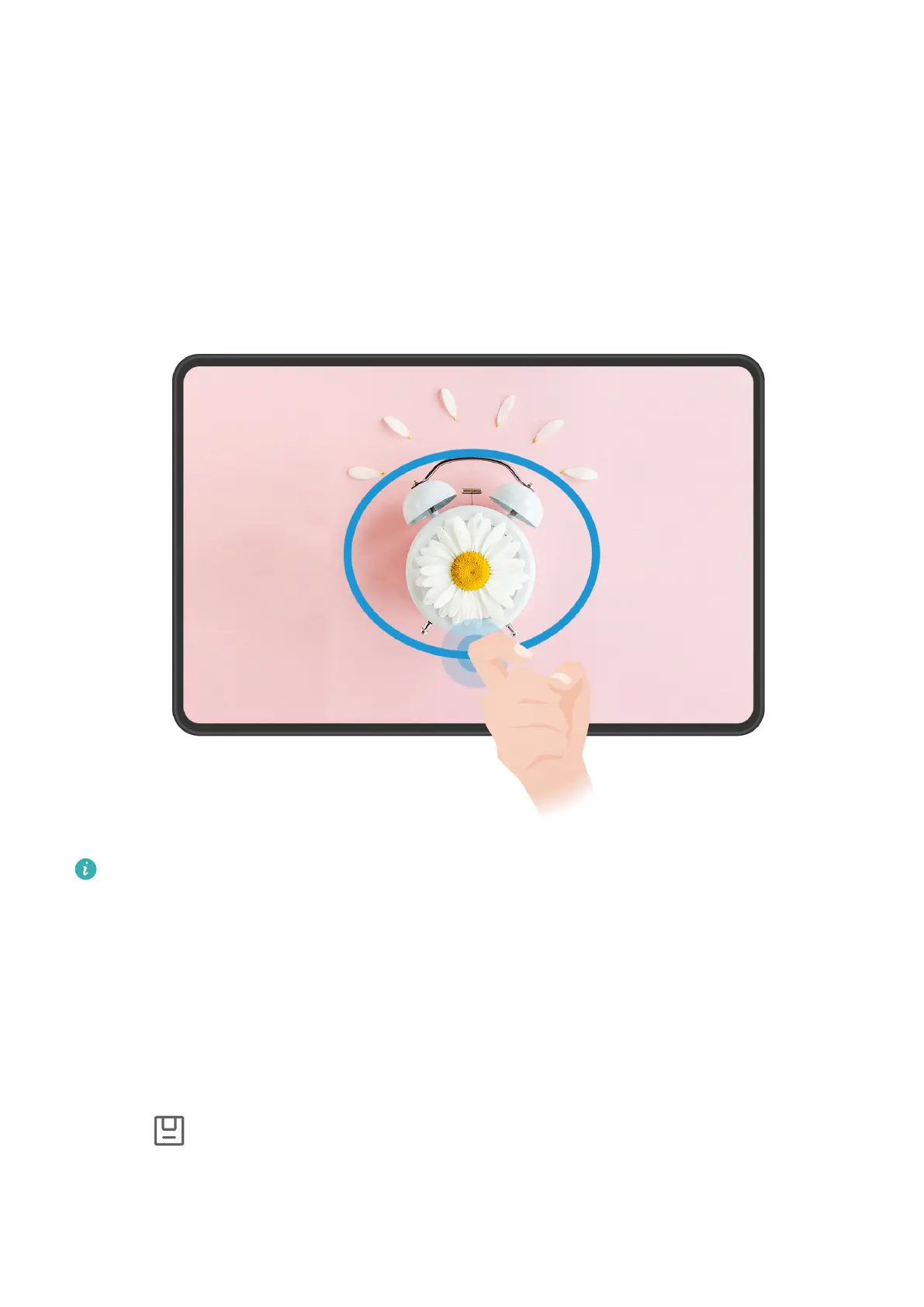
Take a Partial Screenshot
Use Partial screenshot to take a screenshot of a part of the screen. You can choose your
preferred screenshot shape (such as a rectangle, oval, or heart).
Take a Partial Screenshot with Knuckle Gestures
The gures are for reference only.
1 Knock on the screen with a single knuckle and hold to draw an enclosed shape around the
part of the screen that you wish to capture. Make sure that your knuckle does not leave
the screen.
2 The screen will display the motion of your knuckle. From there, feel free to:
• Drag the frame to the desired position, or resize it.
• Touch any of the shape options on the toolbar to change the shape of the captured
area.
3 Touch to save the screenshot.
Essentials
24







 To Next Page