Go to Gallery > Albums > Camera, touch and hold to select the moving pictures that you
wish to share, and touch . Then follow the onscreen instructions to complete the process.
If you share moving pictures to third-party apps or incompatible devices, moving pictures will
be displayed as static images.
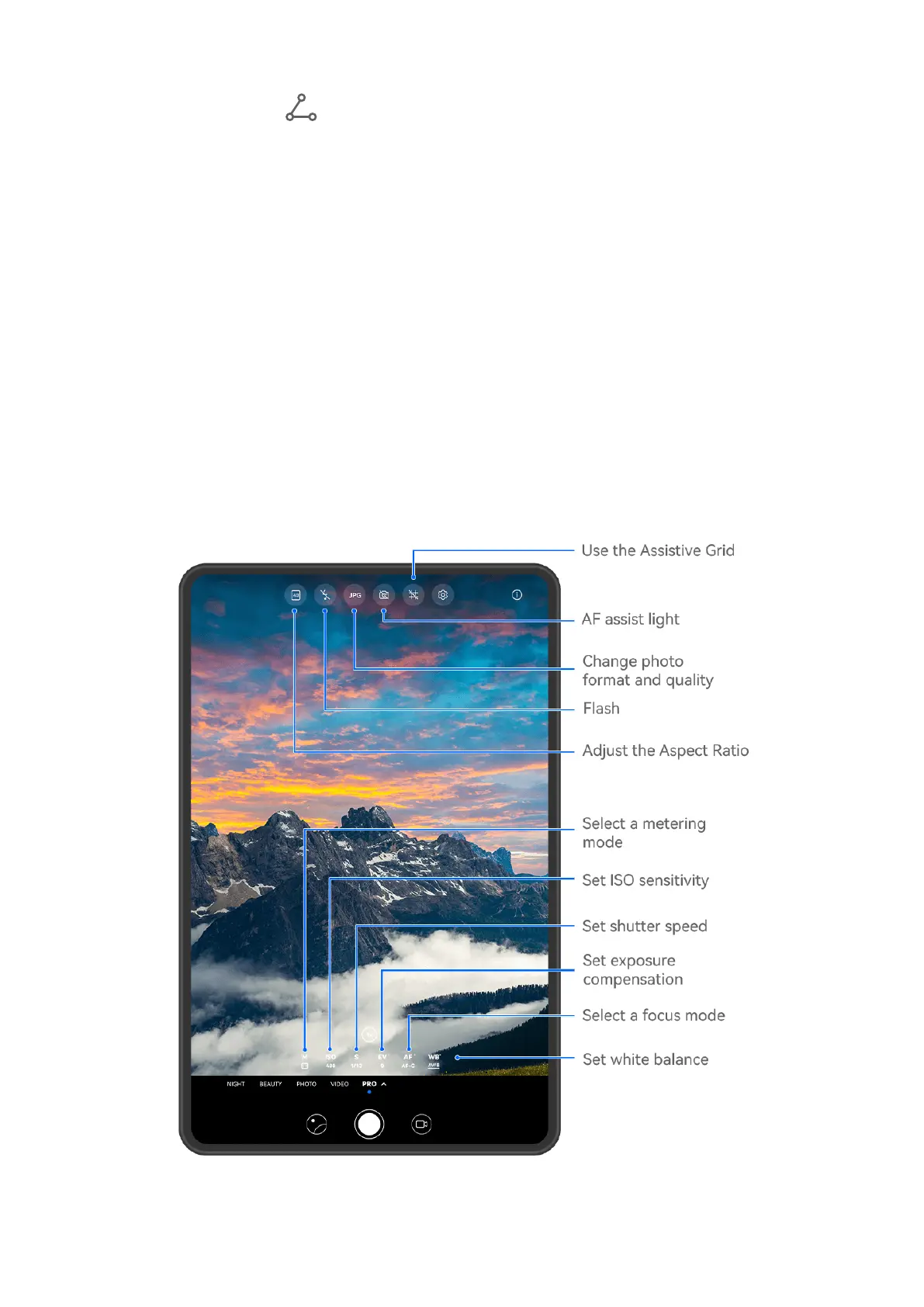
Pro Mode
Use Pro Mode to Shoot Like a Pro
Pro mode lets you
ne-tune photos and videos and gives you full control over ISO sensitivity,
focus mode, and more when taking photos or recording videos.
Shoot to Stun, with Pro Mode
Camera and Gallery
63







 To Next Page