7
Thunderbolt
TM
4 port
• Connects to Thunderbolt external storage devices for faster data transfers.
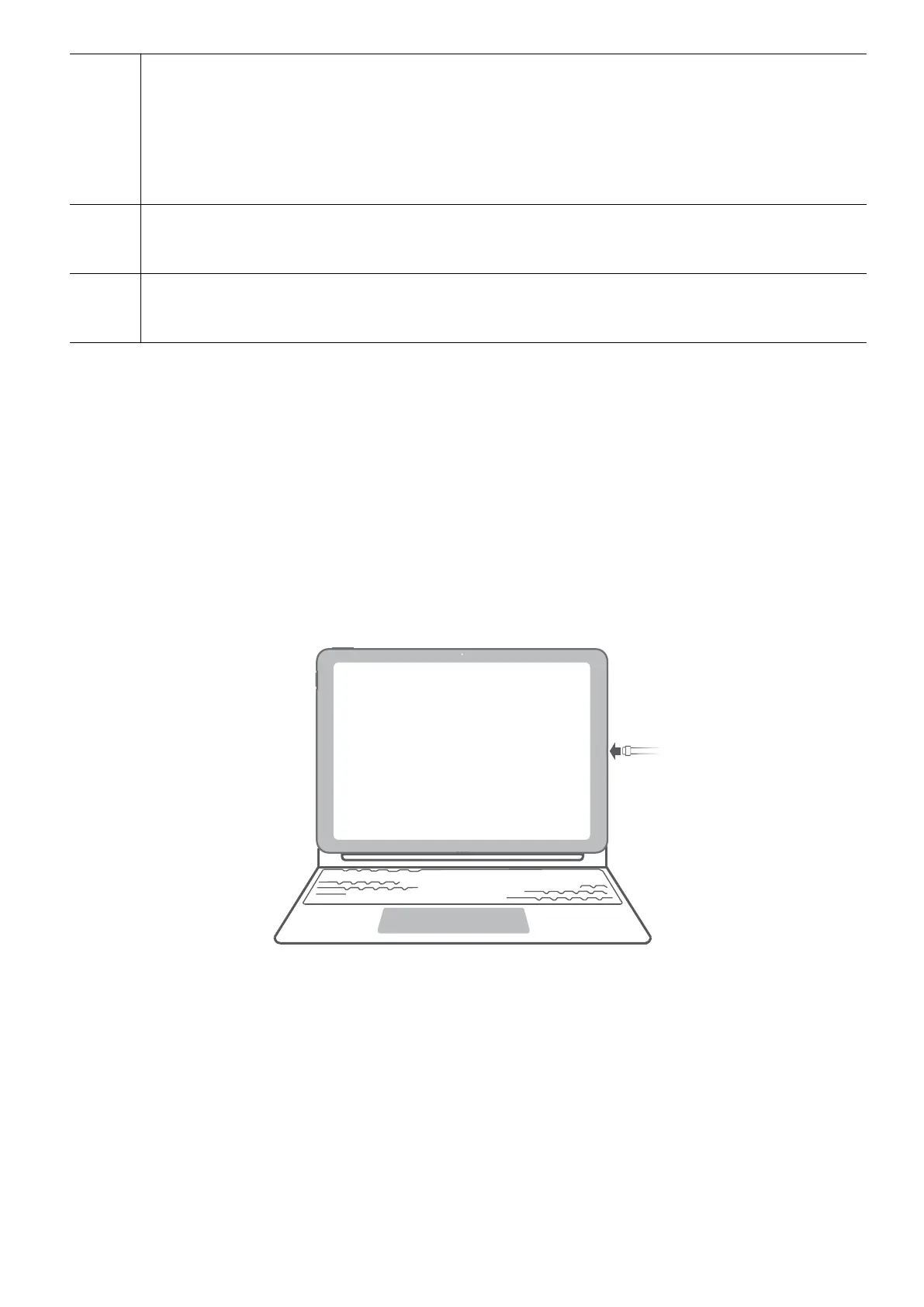
• Connects the power adapter to charge the computer.
• Connects external displays such as monitors and projectors via a docking station.
8 Rear camera
Can be used to take photos or make video chats.
9 Flashlight
Supplements light for the camera when the ambient light is insucient.
Charging the computer
The computer will display a prompt when the battery is running low. If you see this prompt,
charge your computer as soon as possible or it will aect your normal use.
Charging the computer with a power adapter
The computer features a non-removable rechargeable battery. Connect the standard power
adapter and charging cable to charge the computer. The battery charges more quickly when
the computer is powered o or in Sleep mode.
Safety information
• Charge the computer at room temperature in a well-ventilated, shaded area. Charging the
computer in hot environments may damage the internal components.
• Charging duration may vary based on the ambient temperature and battery use.
• It is normal for the computer to become warm after prolonged use or charging. If it
becomes hot to the touch, disable non-essential features and disconnect the charger.
• The battery is subject to wear over time. If the computer's standby time appears to have
fallen, do not attempt to replace the battery by yourself. Instead, take the computer and
proof of purchase to an authorized Huawei Customer Service Center for assistance.
Battery status
Get to know your computer
2









 To Next Page