Start the computer
Powering on and o the computer
When you are powering on the computer for the rst time, you must connect the computer
to a power adapter. The computer will then automatically power on.
When you power on the computer again, press and hold the Power button until the backlight
of the connected keyboard turns on.
If a keyboard isn't connected to the computer, press the Power button to power on the
computer.
When the computer is being used normally, go to > to enable sleep mode, power
the computer o, or restart it.
To forcibly power o the computer, press and hold the Power button for more than 10
seconds. Note that this will result in the loss of any unsaved data. Exercise caution when
performing this operation.
Protecting the screen
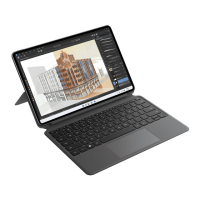
The HUAWEI MateBook E comes with an AMOLED screen. To protect the screen and
maintain the battery life, it is recommended that you do not set the screen to never turn o.
Highlighted features
Click at the bottom of the desktop to open HUAWEI PC Manager and click Tips to get
more features such as Huawei Share.
4









 To Next Page