UK
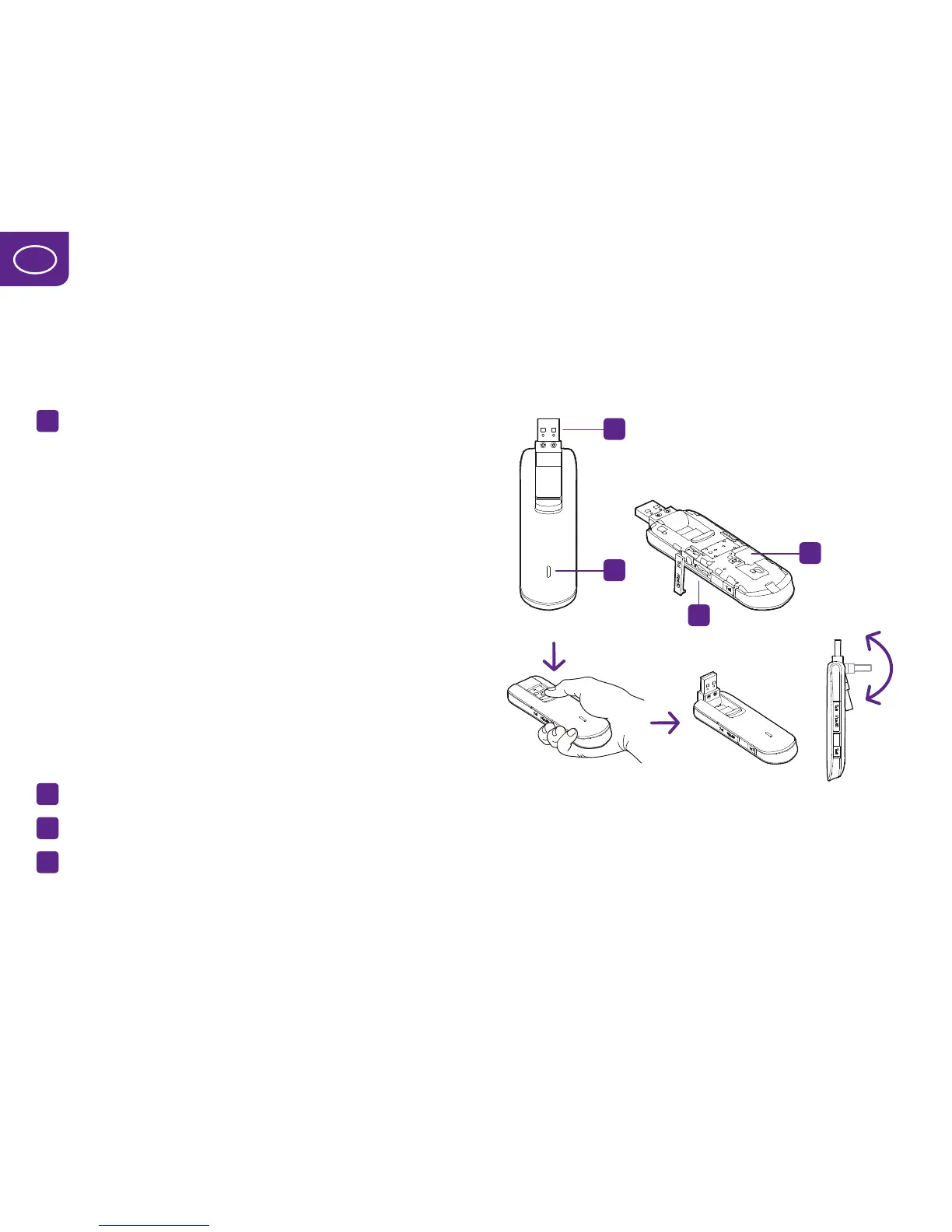
Getting to know your 4G modem
1
Light-emitting diodes (LEDs), which indicate:
•Greenlight,flashes2timeseveryothersecond
= Modem is turned on
•Greenlight,flashes5timesasecond
= Modem software is being updated
•Greenlight,flashesonceasecond
= Modem is connecting to the 2G network
•Bluelight,flashesonceeveryothersecond
= Modem is connecting to the 3G network
•Lightbluelight,flashesonceeveryothersecond
= Modem is connecting to the 4G network
•Greenlight
= Modem is connected to the 2G network
•Bluelight
= Modem is connected to the 3G network
•Lightbluelight
= Modem is connected to the 4G network
2
USB connector
3
Slot for SIM card
4
MicroSD card slot
For connecting a memory card


 To Next Page
 Loading...