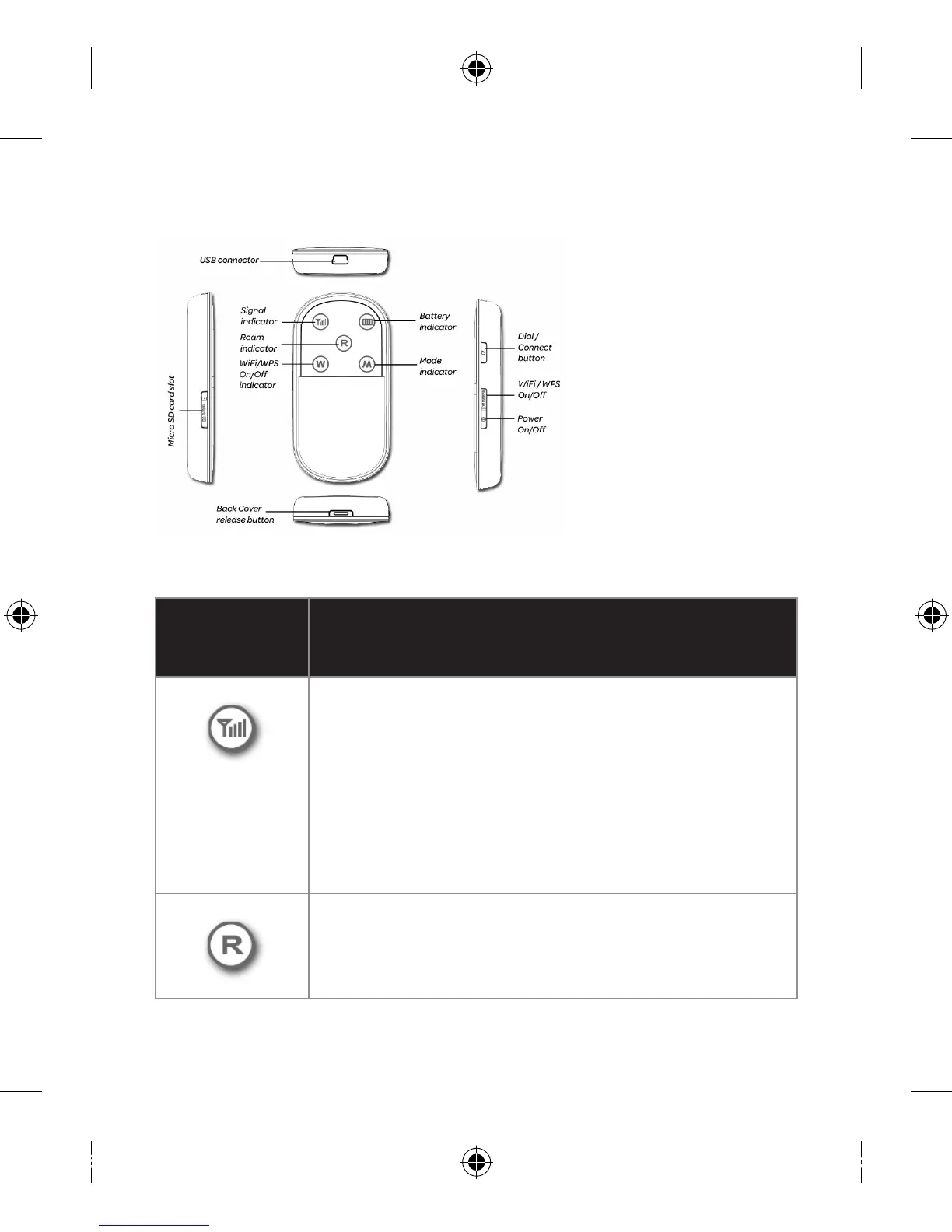
GET TO KNOW YOUR MODEM
Screen indicator information
IN DICATO R STATUS
Visible, Steady• and Red: (a) There is no SIM
card installed, or, (b) the PIN code needs to
be entered, or, (c) there is no signal.
Visible, Steady• and Yellow: The signal
strength is weak.
Visible, Steady• and Green: The signal
strength is strong.
Not Visible: Roaming is off.•
Visible, Steady• and Red: Roaming is on.



 To Next Page