USING YOUR MODEM
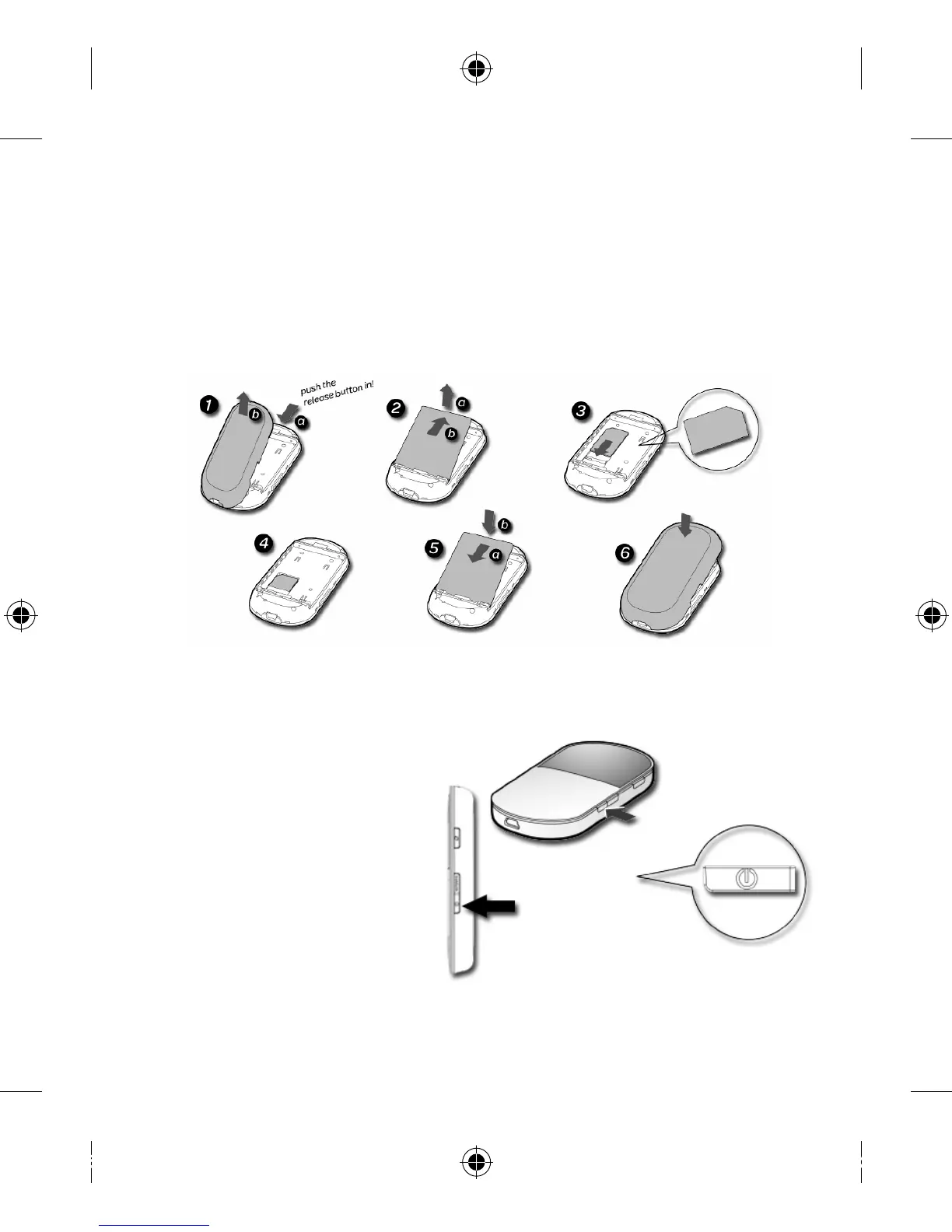
Inserting the SIM and battery
If your Virgin Mobile SIM Card and the Modem Battery are not already
installed, follow the steps below.
Powering up your modem
Press and hold the power button until the indicators
light up on the display screen.
(Note: Press and hold the
power button to power
the modem off.)
Connecting your
modem to your
computer
There are two ways to
connect to the modem and through it, to the internet:


 To Next Page