Need help?
Do you have a question about the Huawei E586 and is the answer not in the manual?
Explains how Wi-Fi devices and computers connect to the internet via the Mobile WiFi.
Guides users on how to insert the SIM card and battery into the device.
Instructions for inserting a microSD card into the designated slot.
Explains how to charge the device's battery when it's low or unused.
Instructions on how to turn on the Mobile WiFi device.
Steps to connect a computer to the Mobile WiFi using Wi-Fi.
Details how to access the internet using different modes after establishing a Wi-Fi connection.
Instructions on how to log in to the device's web management interface.
Guide on setting up a Wi-Fi connection using the WPS feature for convenience.
Explains how the device conserves power and how to manage its screen and Wi-Fi.
Describes the process of entering the PIN code for security.
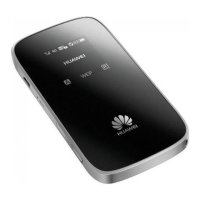
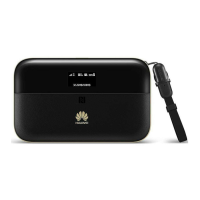
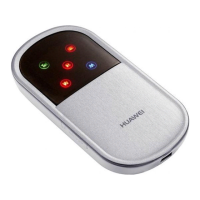
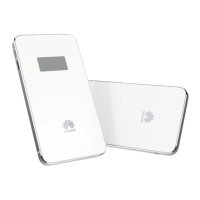
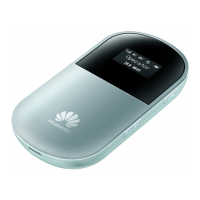
This document describes the Huawei Mobile WiFi, a portable device designed to provide Internet access to multiple devices via Wi-Fi or a single device via USB. It acts as a mobile hotspot, allowing various Wi-Fi-enabled devices such as smartphones, game consoles, digital cameras, and laptops to connect to the Internet. The device is designed for ease of use, with default management parameters preset according to service provider requirements, enabling quick access to the Internet.
The Huawei Mobile WiFi facilitates Internet connectivity through two primary scenarios:
The device features a screen that displays important information, including signal strength, network status (e.g., 3G), Wi-Fi status (enabled/disabled), the number of connected devices, Internet connection status, new messages, battery level, international roaming state, traffic data, and connection duration. These indicators provide a comprehensive overview of the device's operational status.
Before using the Mobile WiFi, users need to install a SIM card and the battery. The SIM card should be inserted into the card slot, ensuring it faces the correct direction. The microSD card, an optional accessory, can also be installed by removing a rubber cap and inserting the card into its slot. It's important not to remove the microSD card while it's in use to prevent data loss or damage.
The battery must be charged before initial use, especially if it has been unused for a long time. There are two methods for charging:
To access the Internet, the Mobile WiFi must first be powered on by pressing and holding the power button until the screen lights up. To power off, the power button should be pressed and held again. Establishing a Wi-Fi connection involves the following steps, taking a Windows XP computer as an example:
Once a Wi-Fi connection is established, users can access the Internet using different modes:
The web management page allows users to configure various parameters and select the Internet access mode. To access it:
http://192.168.1.1 in the address bar.The Mobile WiFi supports Wi-Fi Protected Setup (WPS), which allows for automatic generation of a network key without manual input if the client device also supports WPS. To establish a WPS connection:
If configuration parameters are forgotten or need to be reset, users can restore the Mobile WiFi to its factory default settings. This is done by pressing and holding the RESET button until the screen turns off. Restoring factory defaults will delete all personal configuration settings and revert all web-based management settings and parameters to their original values.
If the Mobile WiFi experiences issues, users can try the following:
The Mobile WiFi is designed with overheating protection. If it is placed in an environment with poor ventilation and overheats after extended use, it will automatically switch off and disconnect from the network to protect itself. In such cases, users should place the device in a well-ventilated location and then restart it.
 General
| Wi-Fi Standards | 802.11b/g/n |
|---|---|
| Max Wi-Fi Connections | 5 |
| Battery Capacity | 1500 mAh |
| Data Speed Download | Up to 21.6 Mbps |
| Data Speed Upload | Up to 5.76 Mbps |
| GSM | 850/900/1800/1900 MHz |
| Security | WEP, WPA, WPA2 |
| Relative Humidity | 5% to 95% |
| Device Type | Mobile Hotspot |
| Network Technology | HSPA+, UMTS, GSM |
| Supported Operating Systems | Windows, Mac OS |
| UMTS | 2100 MHz |
| Battery Life | Up to 5 hours |
| Operating Temperature | 0°C to 35°C |
| Storage Temperature | -20°C to 60°C |

 To Next Page