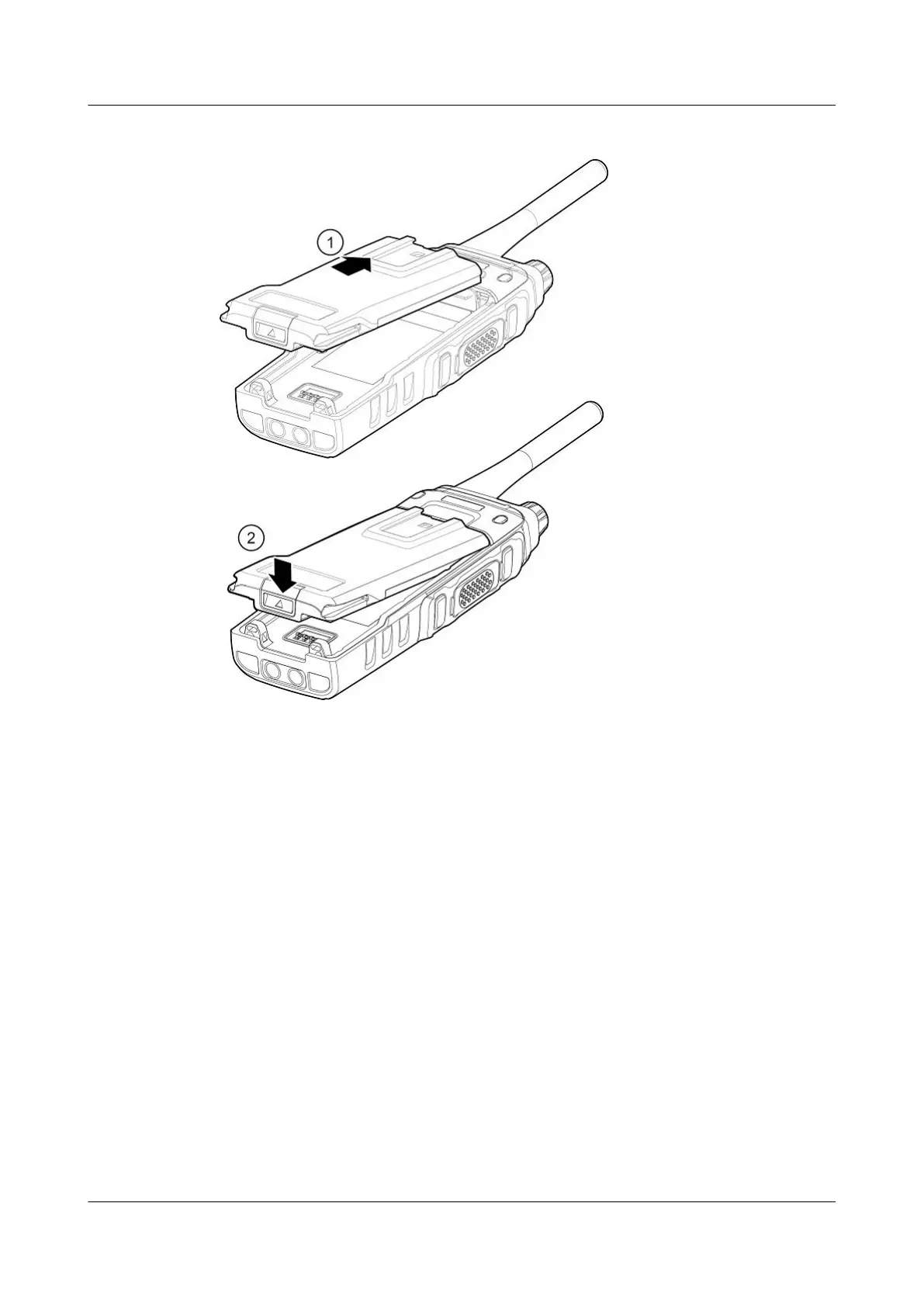
Figure 3-2 Installing the battery of an EP631S
3.3 Installing the Back Clip
If a back clip is required, install the back clip on a battery, and then install the battery on a
phone.
Figure 3-3 illustrates how to install the back clip of an EP631S.
EP631S
Quick Guide
3 Installation and Use
Issue 02 (2018-05-08) Huawei Proprietary and Confidential
Copyright © Huawei Technologies Co., Ltd.
10










 To Next Page