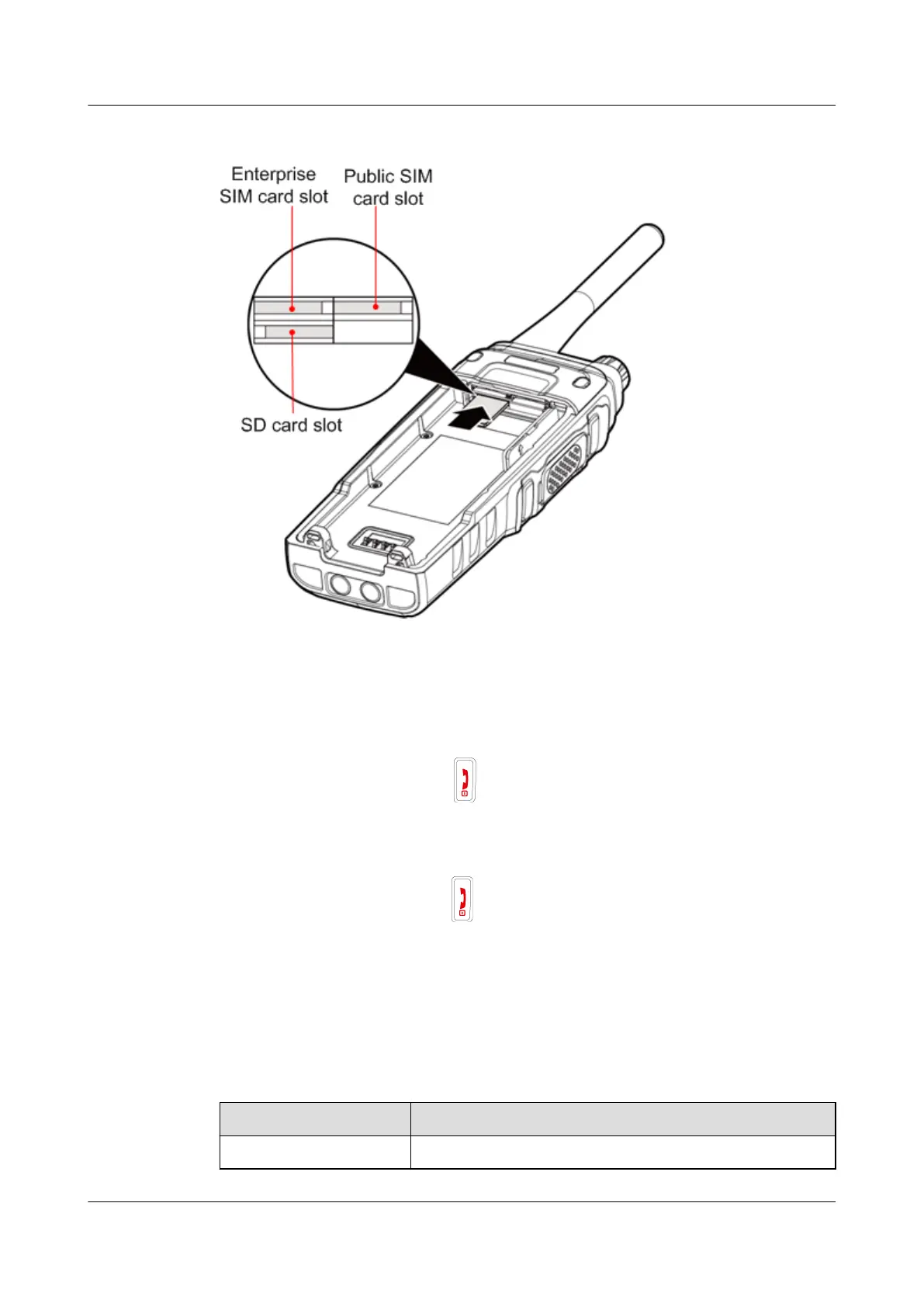
Figure 3-7 Inserting an SIM card
3.7 Powering On and Powering Off
Powering On
When an EP631S is off, hold down to power on the EP631S.
Powering Off
When an EP631S is on, hold down to power off EP631S.
3.8 Indicator Status
Table 3-1 describes the relationship between the indicator and working status of the EP631S.
Table 3-2 describes the relationship between the indicator and charging status of the charger.
Table 3-1 EP631S indicator and working statuses
Indicator Status
Working Status
Off Running properly
EP631S
Quick Guide
3 Installation and Use
Issue 02 (2018-05-08) Huawei Proprietary and Confidential
Copyright © Huawei Technologies Co., Ltd.
14





 To Next Page