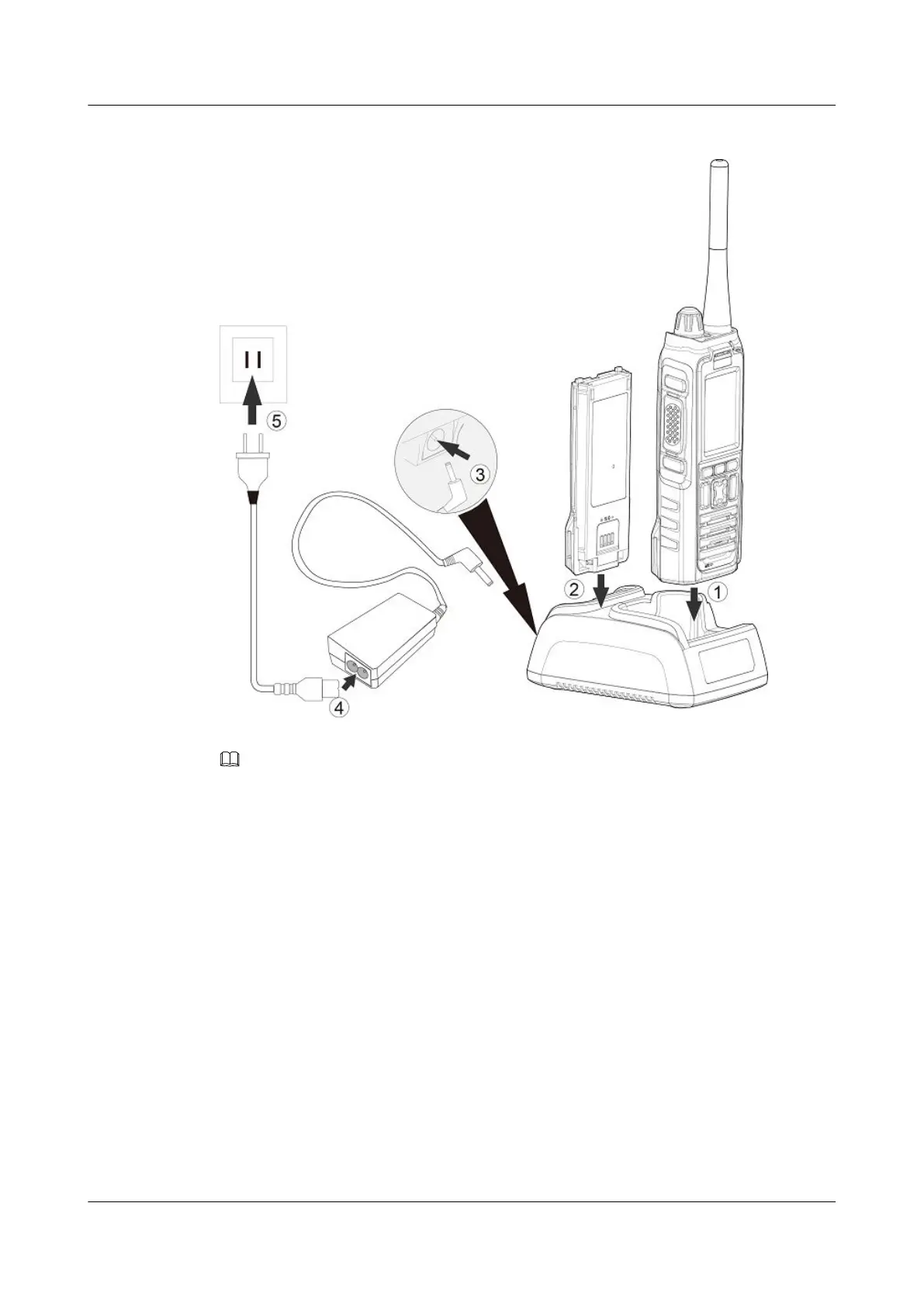
Figure 3-6 Charging using the charger
NOTE
l Power cables and power plugs vary with power supply standards. The power plugs in preceding figure are
for reference only
l To prolong the battery lifespan, charge the battery regularly. Charge the battery at least once per three
months. Otherwise, the battery will be damaged.
3.6 Installing an SIM Card
Figure 3-7 illustrates how to install an SIM card on an EP631S. Before installing an SIM
card, open the battery cover and remove the battery.
EP631S
Quick Guide
3 Installation and Use
Issue 02 (2018-05-08) Huawei Proprietary and Confidential
Copyright © Huawei Technologies Co., Ltd.
13










 To Next Page