l At the first time an EP820 starts up, it runs in trunking mode by default.
NOTE
l It is good practice to change passwords periodically for operation security.
l Remember your power-on password. If you forget the power-on password, shut down the terminal and
enter the recovery mode by pressing the volume up key and the power key together and then select
Restore software version.
Powering Off
When an EP820 is on, hold down the Power Key on the side of the phone body and then
choose Power Off from the displayed menu.
4.5 Accessories
This section describes information about EP820 accessories.
Table 4-1 lists the EP820 accessories. To obtain more information, contact the device
provider.
Table 4-1 EP820 accessory list
Sequ
ence
Num
ber
Name Description
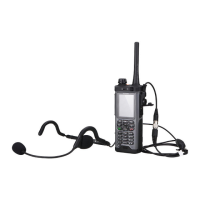
1 Insert earphone An optional accessory.
2 Split loudspeaker
and microphone
An optional accessory. Used to increase the EP820 volume
with the support of the PTT key.
3 Bluetooth
earphone
An optional accessory. Used with the EP820.
4 Bluetooth PTT
key
An optional accessory. It converts the mechanical pressure of
the PTT key to electrical Boolean signals and sends the
signals to the EP820 through Bluetooth.
5 HDMI-USB-Host
Cable
An optional accessory.
6 6000 mAh
Lithium-ion
Battery
An optional accessory.
7 6000 mAh
Battery Cover
An optional accessory.
EP820
User Guide
4 Installation and Use
Issue 05 (2016-06-20) Huawei Proprietary and Confidential
Copyright © Huawei Technologies Co., Ltd.
20









 To Next Page