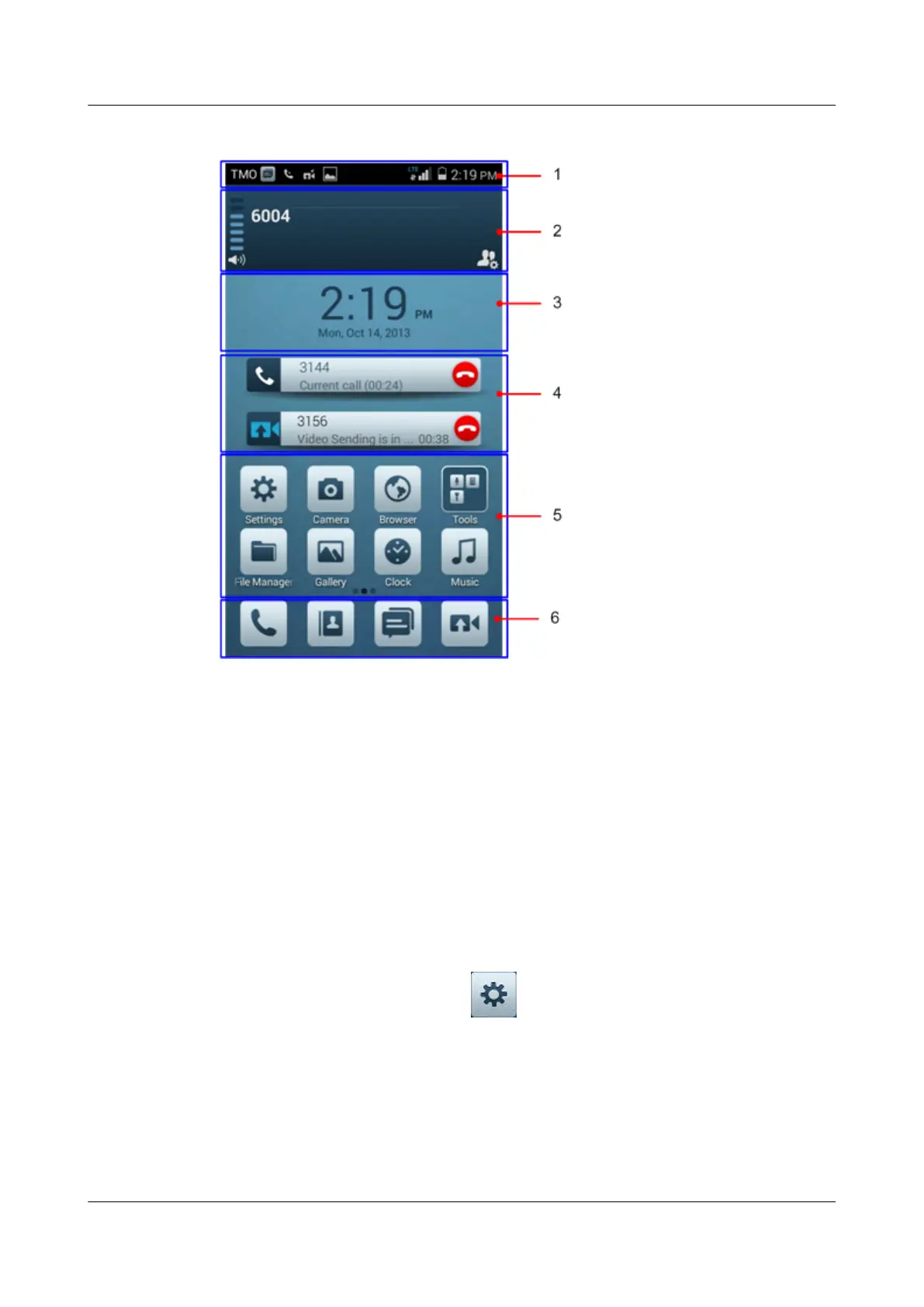
Figure 5-1 EP820 home screen
1 Status bar 2 Group call module 3 Time area
4 Prompt area 5 Customized program area 6 Dock area
5.4 Basic Functions
This section describes the basic functions of an EP820.
5.4.1 General Settings
This section describes the general settings of an EP820.
On the home screen of the EP820, tap
to enter General. The following are general
options:
l Network mode: Specifies one of the three network modes, which are public network
mode (PNM), trunking mode operation (TMO), and direct mode operation (DMO).
l Screen lock: Specifies whether to lock the screen. A screen lock password can be set.
l Brightness: Specifies the screen brightness.
l Sound: Specifies the volume of sounds.
EP820
User Guide
5 Operation and Maintenance
Issue 05 (2016-06-20) Huawei Proprietary and Confidential
Copyright © Huawei Technologies Co., Ltd.
24










 To Next Page