3
Screen Icons
Icon Indicates… Icon Indicates…
Signal strength
Battery level
Alarm clock
Silent mode
Unread message
Handset connected to the base
Installation
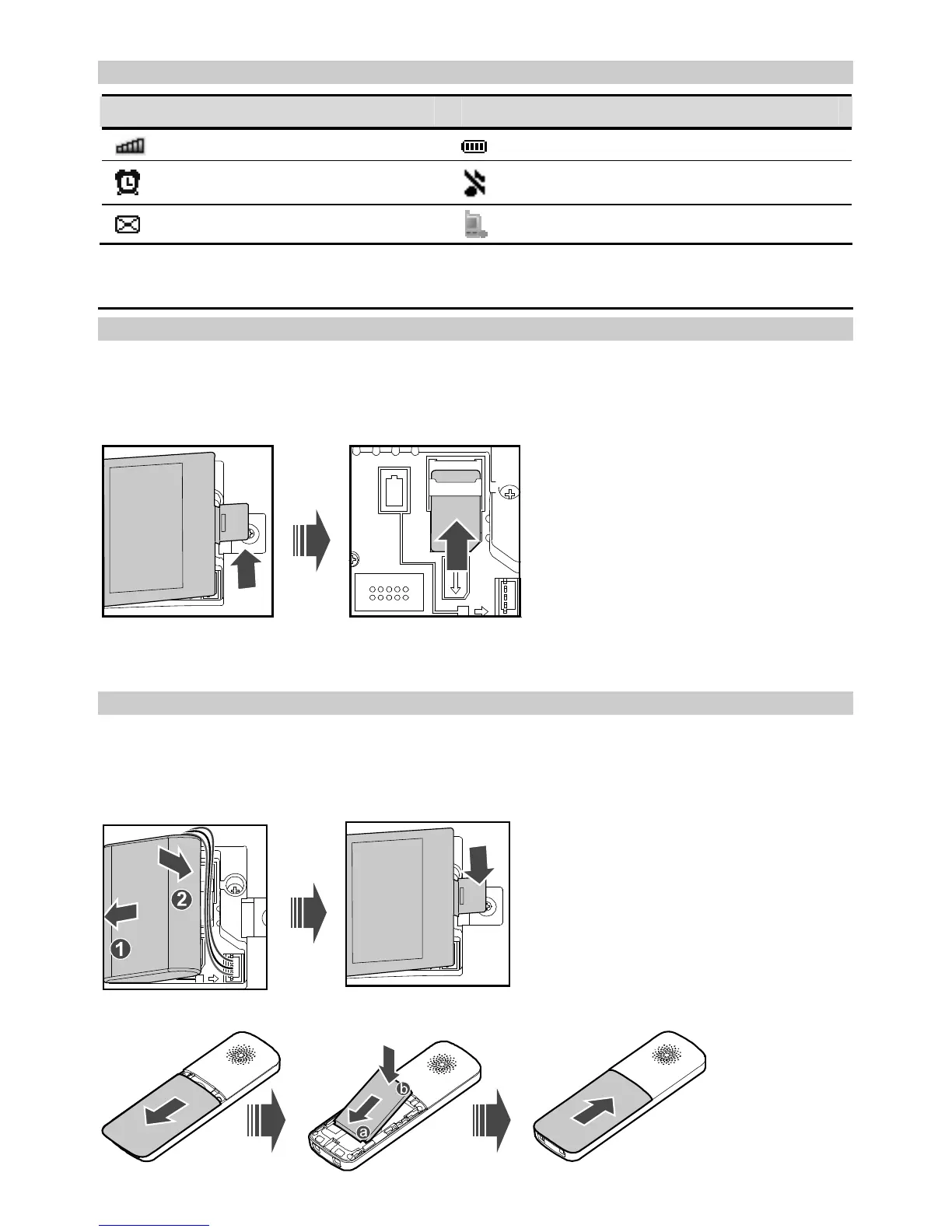
Installing the SIM Card
Ensure that the base is powered off and disconnected from the power adapter. When installing
the SIM card, ensure that the golden contacts of the SIM card are facing downward and that the
beveled edge of the SIM card is properly aligned with that of the SIM card slot. Then check that
the SIM card is fully inserted.
Note:
Do not remove or insert the SIM card frequently if the base works properly.
Installing the Battery
Ensure that the phone is powered off and disconnected from the power adapter. When installing
the battery, ensure that the golden contacts of the battery mate securely with those in the
battery slot.
(Optional) Base:
Handset:



 To Next Page