Music and videos
54
When a song is playing, touch
Home
to exit the playback screen without
stopping the song. To return to the music playback screen, open the notification
panel and touch the playing song.
Creating a playlist
1
On the home screen, touch
Music
.
2
Touch
Playlists
>
Create new playlist
.
3
Name the playlist and touch
Save
.
•
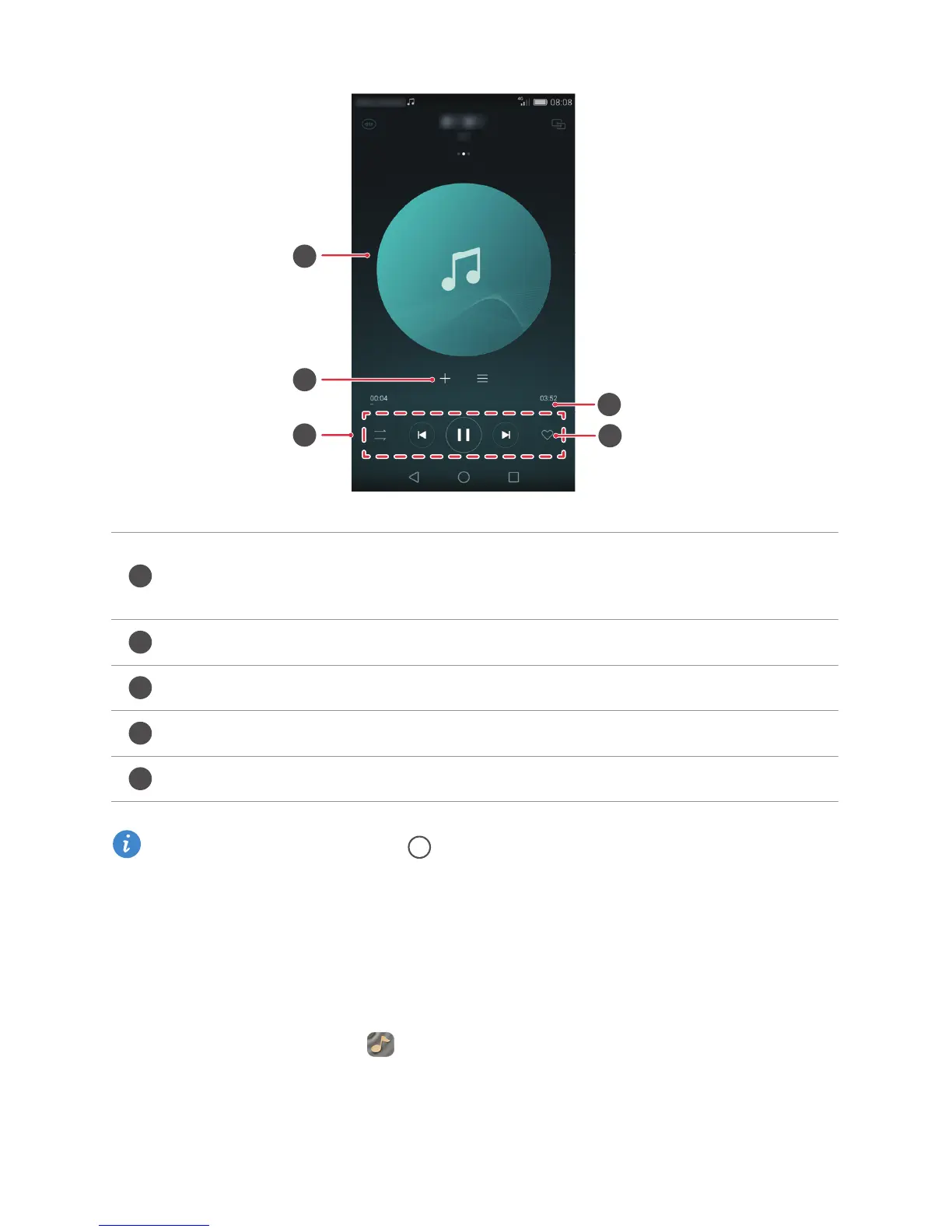
Swipe left or right to switch between the album cover, playlist, and lyrics.
•
Touch here to adjust the volume, open the options menu, and more.
Add the playing song to a playlist.
Use the buttons here to control the playback.
Drag the slider to control the playback.
Add the playing song to your
Favorites
.
1
2
3
4
5



 To Next Page