10
Using the notification panel
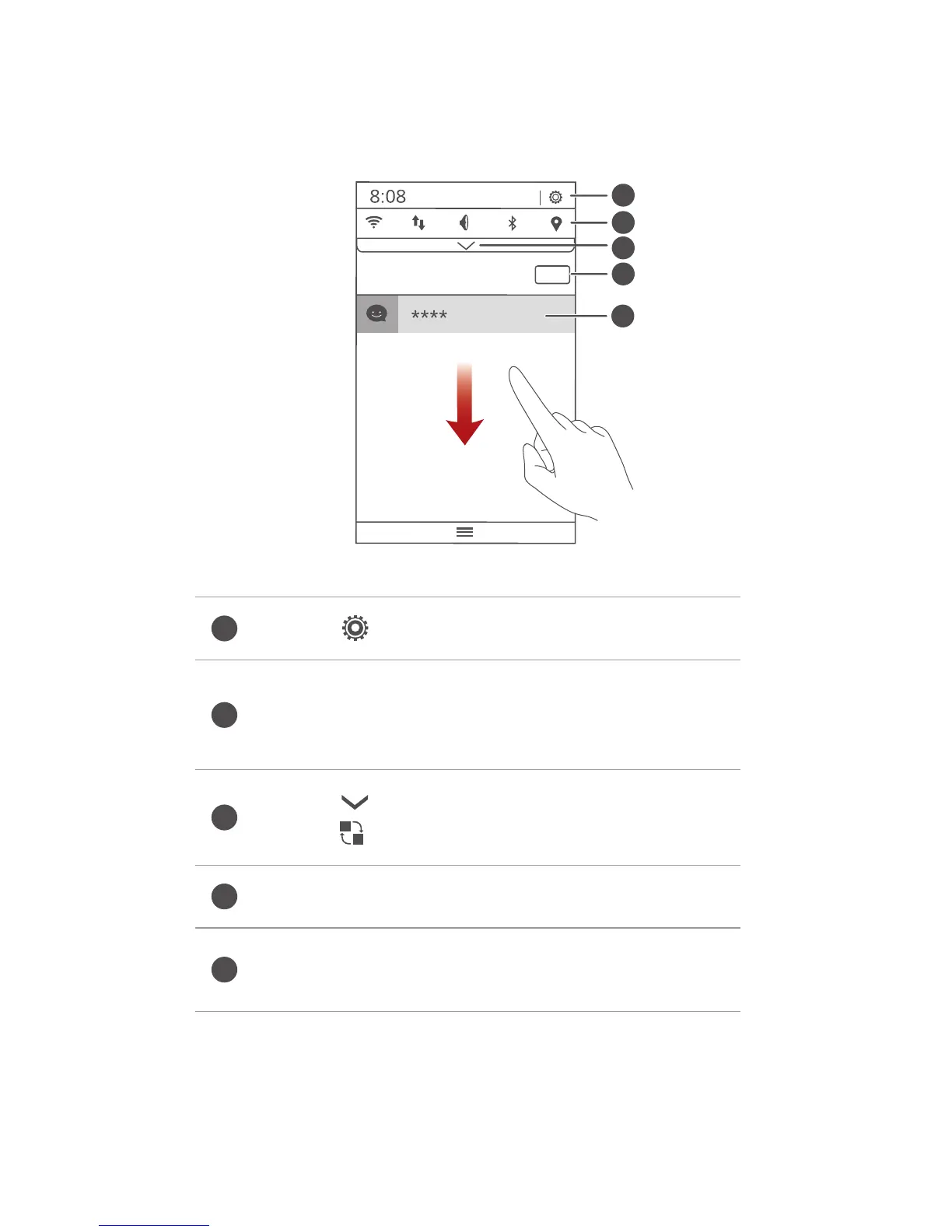
Flick down from the status bar to open the notification
panel.
Touch to display the settings screen.
Touch the shortcut switches on the
notification panel to turn on or turn off the
functions.
Touch to display the shortcut switches and
touch in the upper right corner to edit it.
Touch
Clear
to dismiss all notifications.
Touch an application to view it and flick left or
right across a notification to dismiss it.



 To Next Page