25
•
Drag up to reject the call and send the caller a
message.
On the dialer screen, touch >
Call settings
>
Reject calls by message
to edit the message that
will be sent.
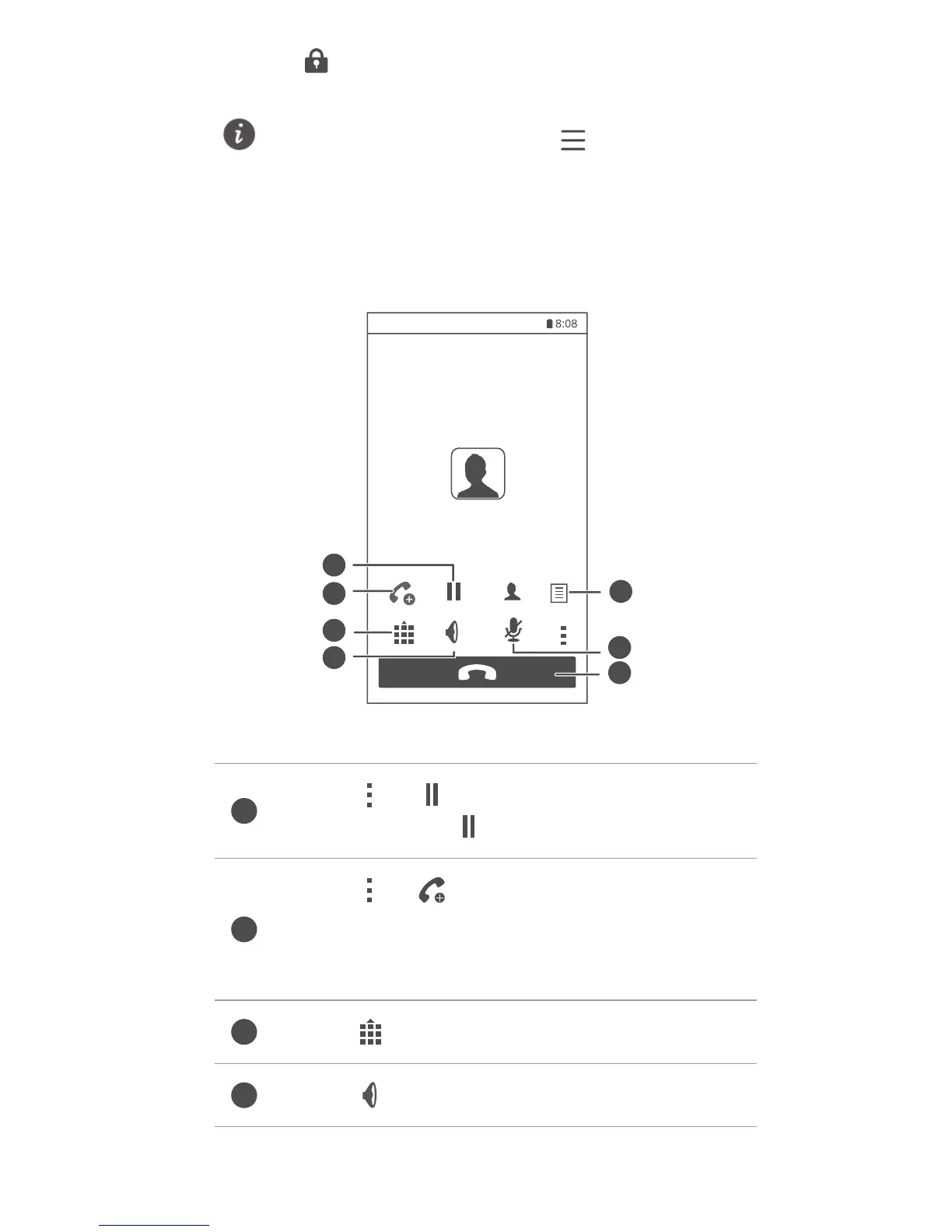
What you can do during a call
Touch > to place the current call on
hold, and touch again to resume the call.
Touch > to start a three-way call.
Before you use three-way calling, make sure
you have subscribed to this service. For details,
contact your service provider.
Touch to display the dialer.
Touch to use the speakerphone.
1
2
3
4
5
6
7
1
2
3
4



 To Next Page