14
Organizing applications and
widgets on the home screen
Adding a widget to the home screen
1.
On the home screen, touch and hold a blank area to
display the
Configuration
dialog box.
2.
Touch
Widgets
.
3.
Drag a widget from the screen's lower section to a
screen thumbnail.
4.
Touch to return to the home screen.
If the home screen doesn't have enough space,
your phone will automatically create a new
home screen to the right of the original and
place the widget on the new home screen. You
can have nine home screens at most.
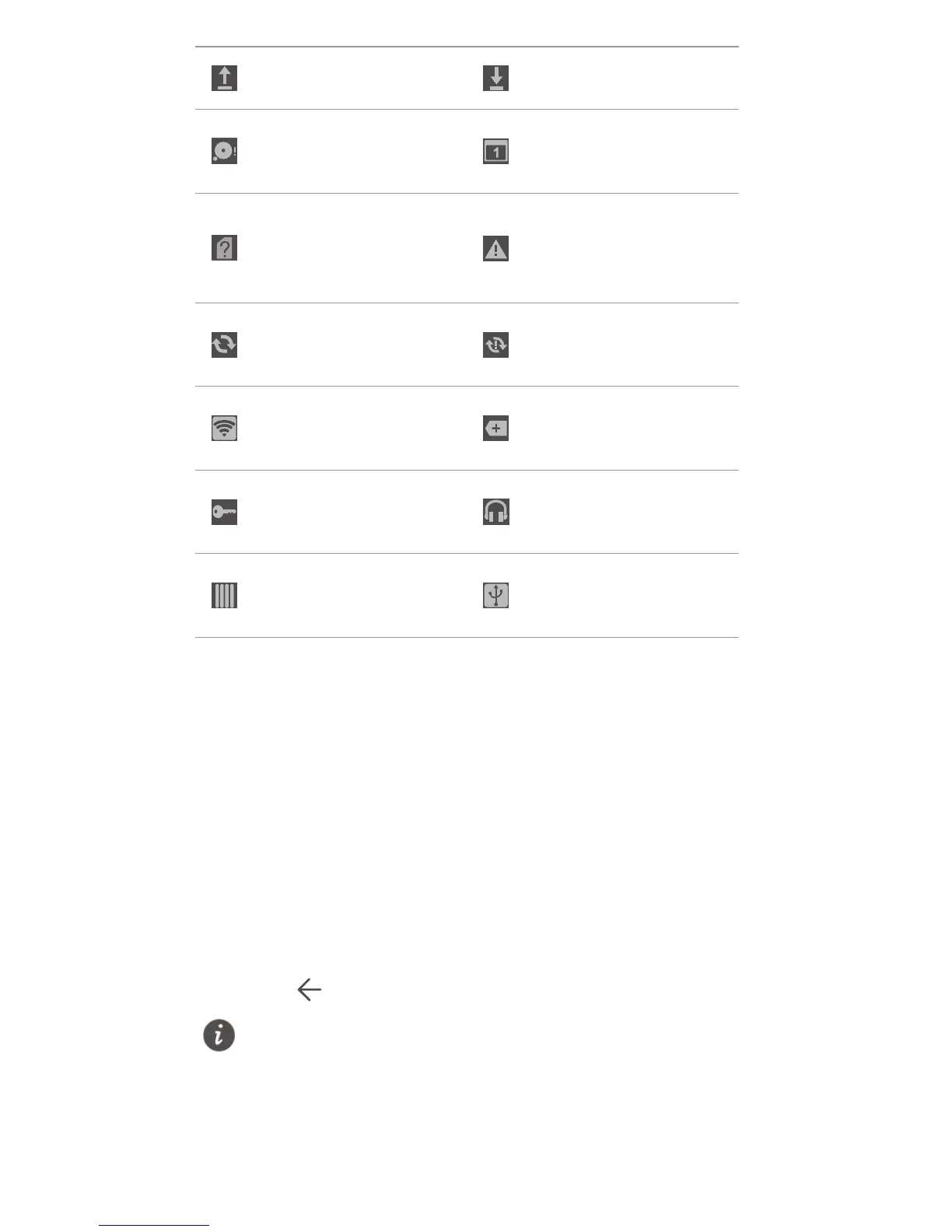
Uploading data Downloading data
Phone memory
full
Upcoming events
No SIM card
found
Login or
synchronization
problem
Synchronizing
data
Synchronization
failed
Portable Wi-Fi
hotspot on
More notifications
Connected to a
VPN
Headset plugged
in
USB debugging
mode enabled
USB tethering on



 To Next Page