3
3 Powering On
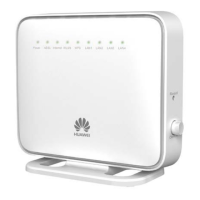
To power on the HG552f, press its power button.
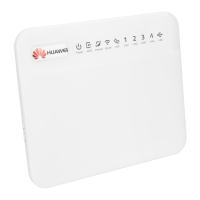
After the HG552f is powered on, the HG552f indicator turns on. The following table
lists how the indicators behave when the HG552f is operating correctly. If the
indicators do not behave as expected, ensure that everything is plugged in correctly.
Indicator Expected State Description
Power Steady green The HG552f is powered on.
ADSL
Steady green
A digital subscriber line (DSL) connection
has been set up and activated.
Blinking green A DSL connection is being activated.
Internet Off The HG552f is in bridge mode.
WLAN
Steady green
> The HG552f has WLAN enabled, but is not
transmitting data.
> The HG552f is connected to a wireless
client, such as a computer with a wireless
network adapter, over the WLAN using the
Wi-Fi Protected Setup (WPS) function.
Blinking green
> The HG552f has WLAN enabled, and data
is being transmitted.
> The HG552f is attempting to connect to a
wireless client over the WLAN using the
WPS function.
LAN1 ~ LAN4
Steady green
The LAN port is connected to an Ethernet
device (such as a computer) with a network
cable, but no data is being transmitted.
Blinking green
The LAN port is connected to an Ethernet
device with a network cable, and data is
being transmitted.






 To Next Page