a
Installation the Cabinets on t
2 Installing the Cabinets
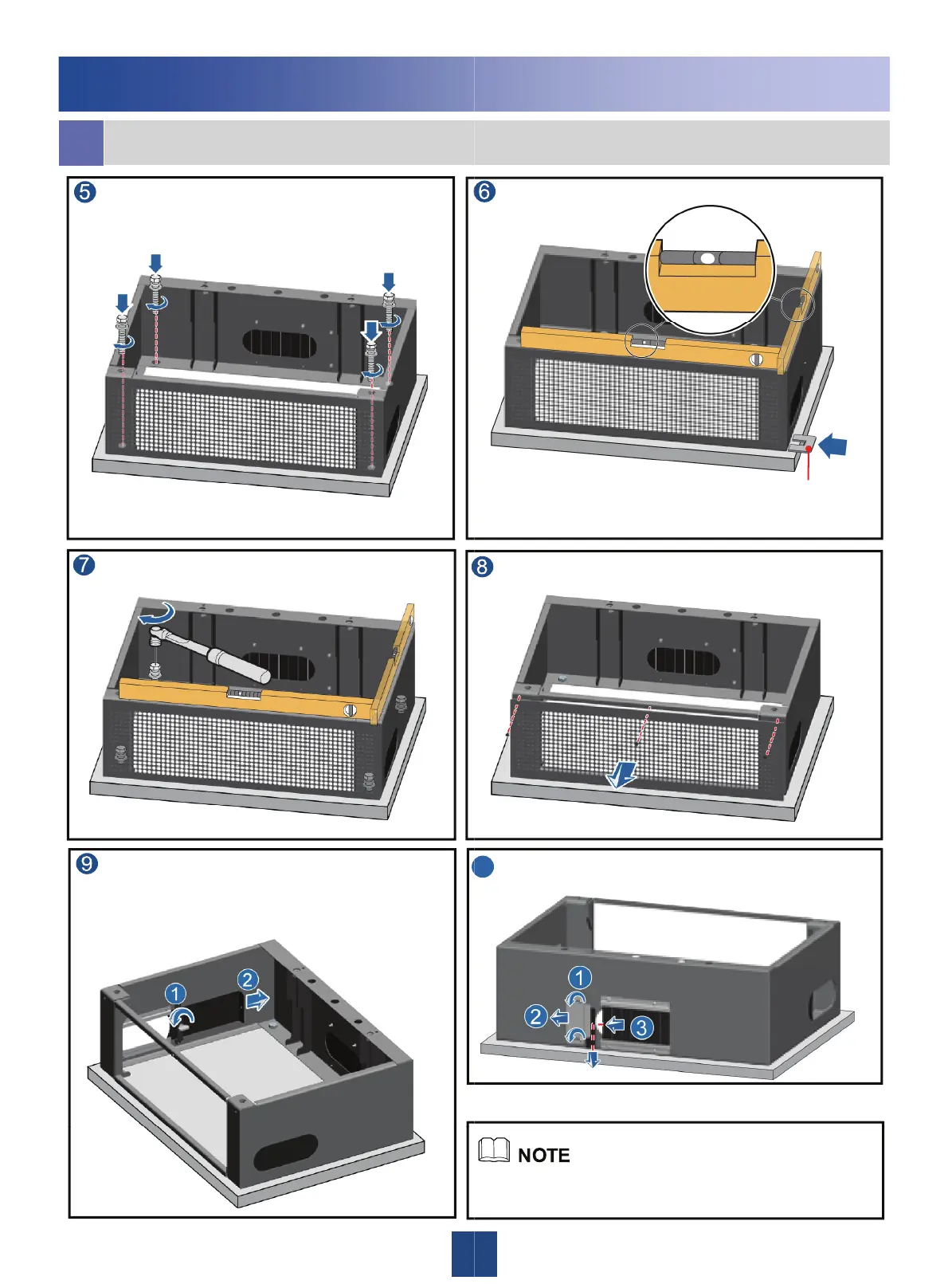
Install the bolt with the spring washer
and flat washer.
Tighten the bolts.
Remove the baffle plates from both
sides of the base (by removing the plate
on the left as an example).
e Base
Check the base level.
Remove the front cover plate.
Adjust the base level by adding adjusting pads to the
bolts between the base and the concrete plinth.
Remove the baffle pieces from the back
of the base.
0
All the three cable holes on the base can be used for cabling.
You can use the cable holes based on actual requirements.






 To Next Page