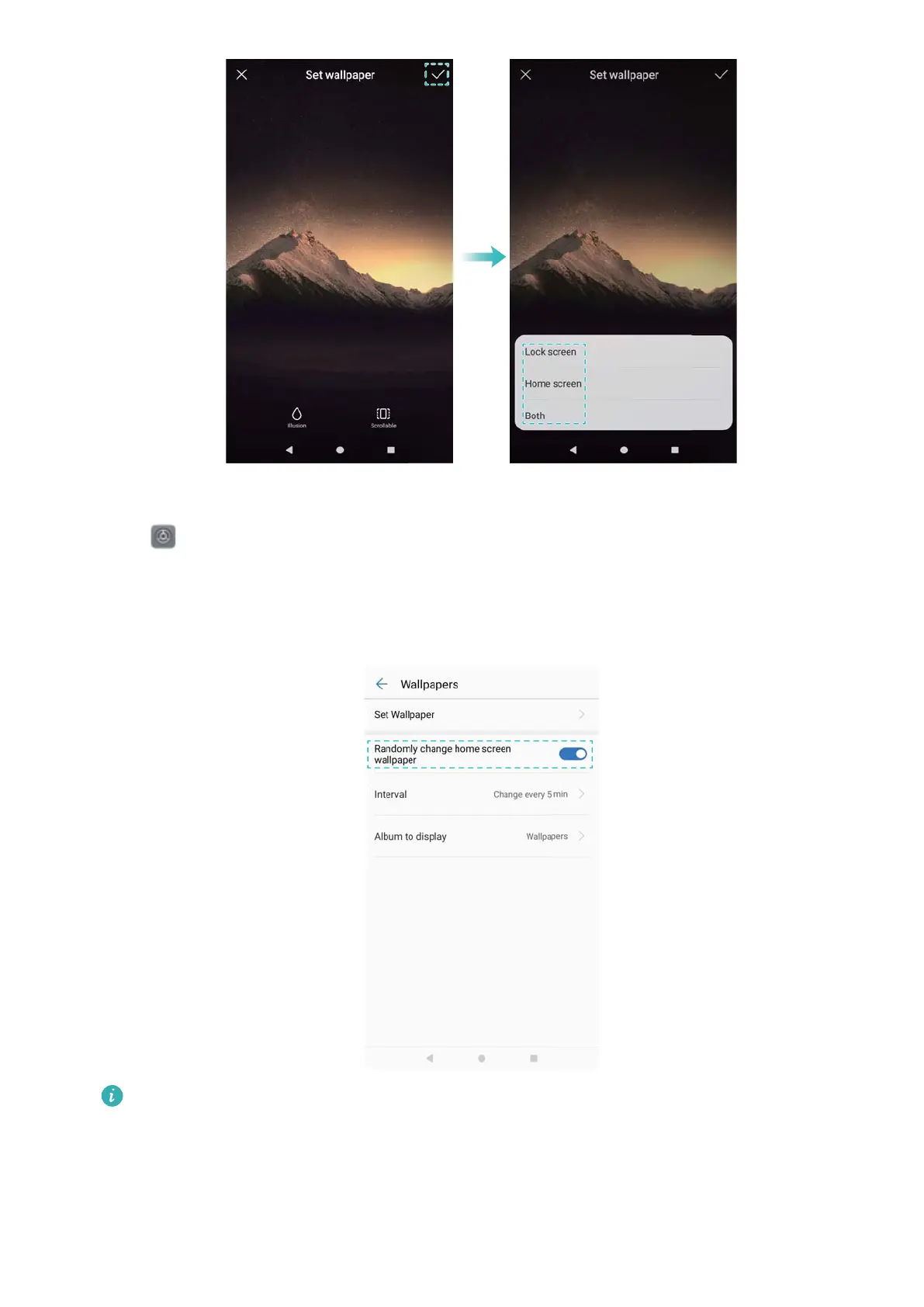
Changing the wallpaper automatically
1 Open Settings.
2 Touch Display > Wallpaper.
3 Switch Randomly change home screen wallpaper on or off.
When Interval is enabled, you can also configure the Interval and Album to display.
Your wallpaper will change automatically at the specified interval.
Configuring the home screen transition effects
Configure home screen transition effects
1 On the home screen, pinch two fingers together to open the home screen editor.
Screen and Display
18



 To Next Page