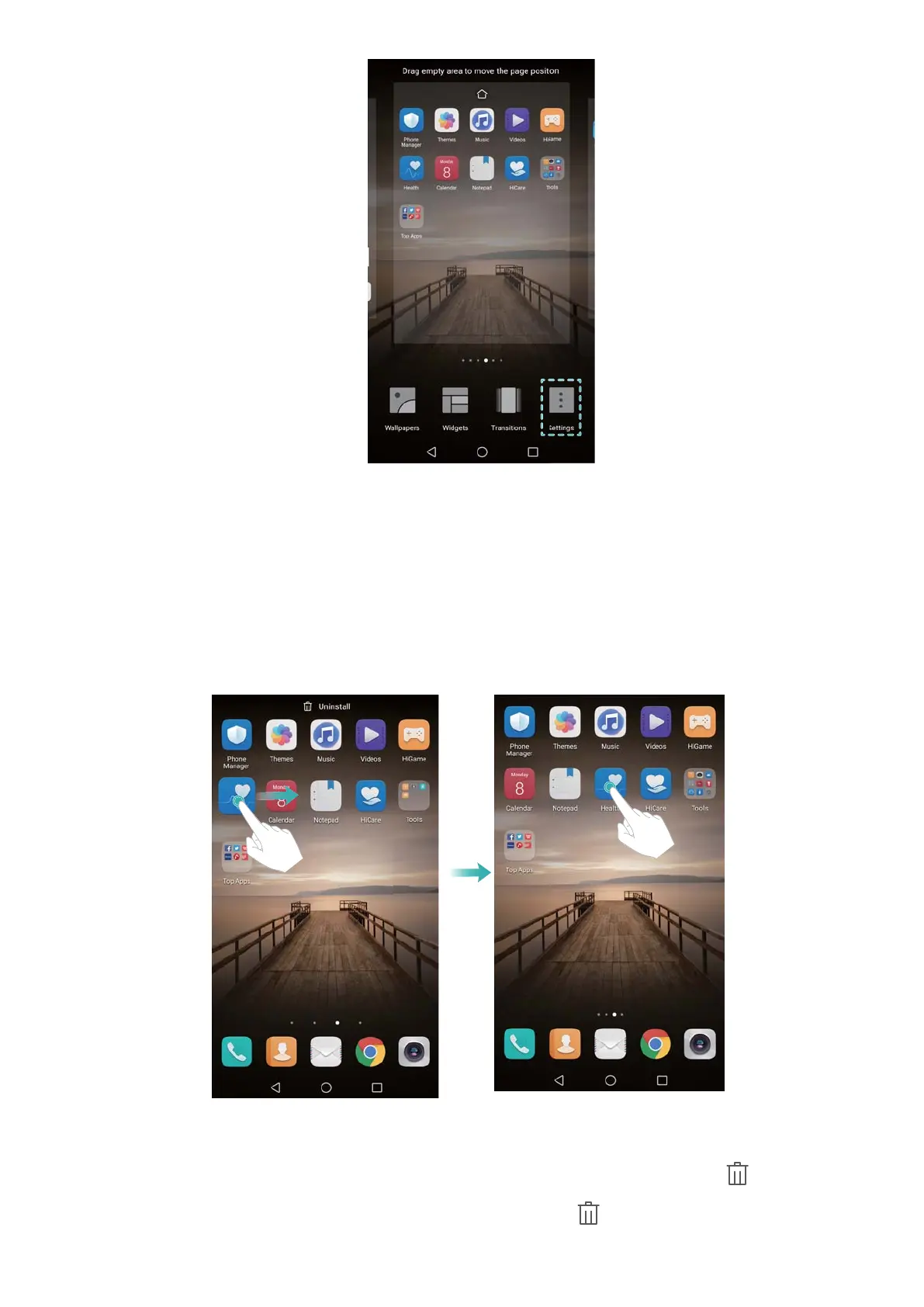
3 Switch Home screen loop on or off.
Managing home screen icons
Moving home screen icons
On the home screen, touch and hold an app icon or widget until your phone vibrates. You can
then drag the app icon or widget to the desired location.
Uninstalling apps from the home screen
On the home screen, touch and hold the app or widget you want to delete until is displayed
at the top of the screen. Drag the unwanted app or widget to
.
Screen and Display
20



 To Next Page