Thank you for choosing the Mobile Broadband USB Stick.
With your USB Stick, you can access a wireless network at
high speed.
Note:
This manual describes the appearance of the USB Stick, as well as the procedures for
preparation, installation, and removal. For operation details about the management program,
see the online help included in the management program.
Getting to Know Your USB Stick
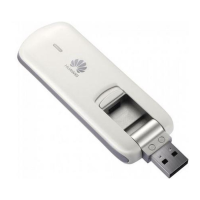
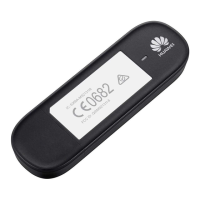
The following figure shows the appearance of the USB Stick. It is provided only for your
reference. The actual product may be different.
n USB Connector
It connects the USB Stick to a PC.
o Indicator
It indicates the status of the USB Stick.
Green, blinking twice every 2s: The USB Stick is powered on.
Green, blinking once every 2s: The USB Stick is registering with a 2G network.
Blue, blinking once every 2s: The USB Stick is registering with a 3G/3G+ network.
Green, solid: The USB Stick is connected to a 2G network.
Blue, solid: The USB Stick is connected to a 3G network.
Cyan, solid: The USB Stick is connected to a 3G+ network.
Off: The USB Stick is removed.
p SIM/USIM Card Slot
It holds a Subscriber Identity Module (SIM)/Universal Subscriber Identity Module (USIM) card.
Getting Your USB Stick Ready
Install the SIM/USIM card
1. Slide the front cover to remove it from the USB Stick.
2. Insert the SIM/USIM card into the corresponding card slot, as shown in the following figure.
3. Replace the front cover and slide it into place.
Note:
Ensure that the beveled edge of the SIM/USIM card is properly aligned with that of the
SIM/USIM card slot.
Do not remove the SIM/USIM card when the card is in use. Otherwise, the card as well as
your USB Stick may get damaged and the data stored on the card may be corrupted.
Installation/Removal Guide
The procedure for installing the management program depends on the operating system (OS)
installed on your computer. The following sections take Windows 7 as an example.
Connecting the USB Stick to a computer
Plug the USB Stick into the USB port of your computer.

 Need help?
 General






 To Next Page