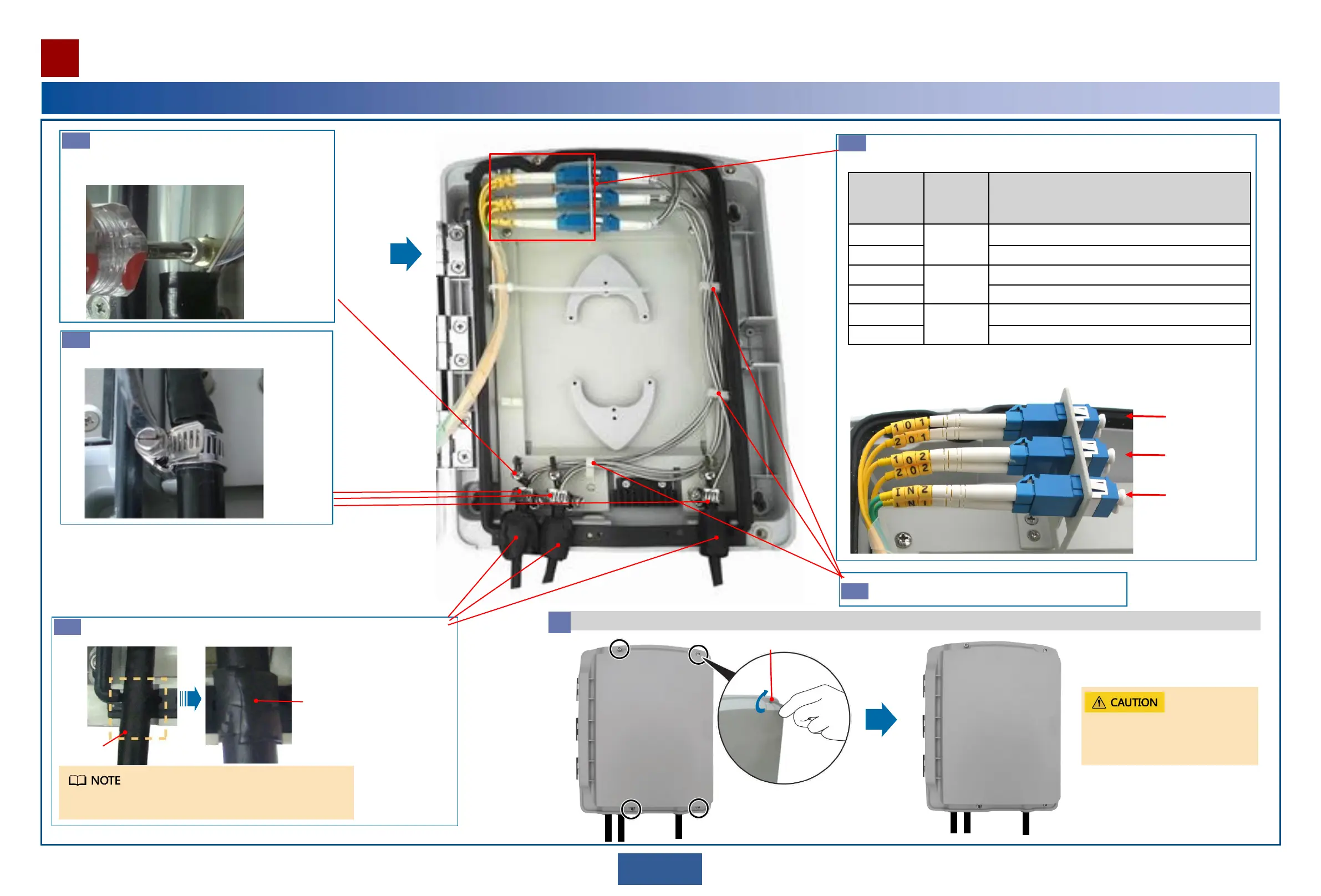
Use hose clamps to fix outdoor fibers on the
appropriate hooks.
Guide the lead nylon of outdoor fibers through fiber
fixing holes, fix the lead nylon and cut off redundant
part.
Fix the fiber metal jacket in the fiber routing clips.
Remove dustproof caps and insert fiber connectors into appropriate adapters
according to labels.
Port in Fiber
Distribution
Area
Interconne
cted GE
Port
Description
101 Main OAU
2A
Connected to GE receive port on the main OAU 2A
201 Connected to GE transmit port on the main OAU 2A
102 Standby
OAU 2A
Connected to GE receive port on the standby OAU 2A
202 Connected to GE transmit port on the standby OAU 2A
IN2 Customer
equipment
Connected to GE receive port on the customer equipment
IN1 Connected to GE transmit port on the customer equipment
Wrap outdoor fibers with three layers of waterproof tapes and ensure that the tapes
just fit the cable trough and the case is reliably sealed and waterproofed.
Schematic diagram of coding ports and
fibers in fiber distribution area
When wrapping outdoor fibers, do not pull waterproof tapes.
Three layers of
waterproof
tapes
Sealing
positions
Main OAU 2A
Standby OAU 2A
Customer
equipment
Close the case cover.
6
Reliably tighten the reinforce
screws to ensure waterproof
effects.
4 mm hex key
C
d
g
e
f
22
Installing the Outdoor Optical Splitter
Installation Reference


 To Next Page