37
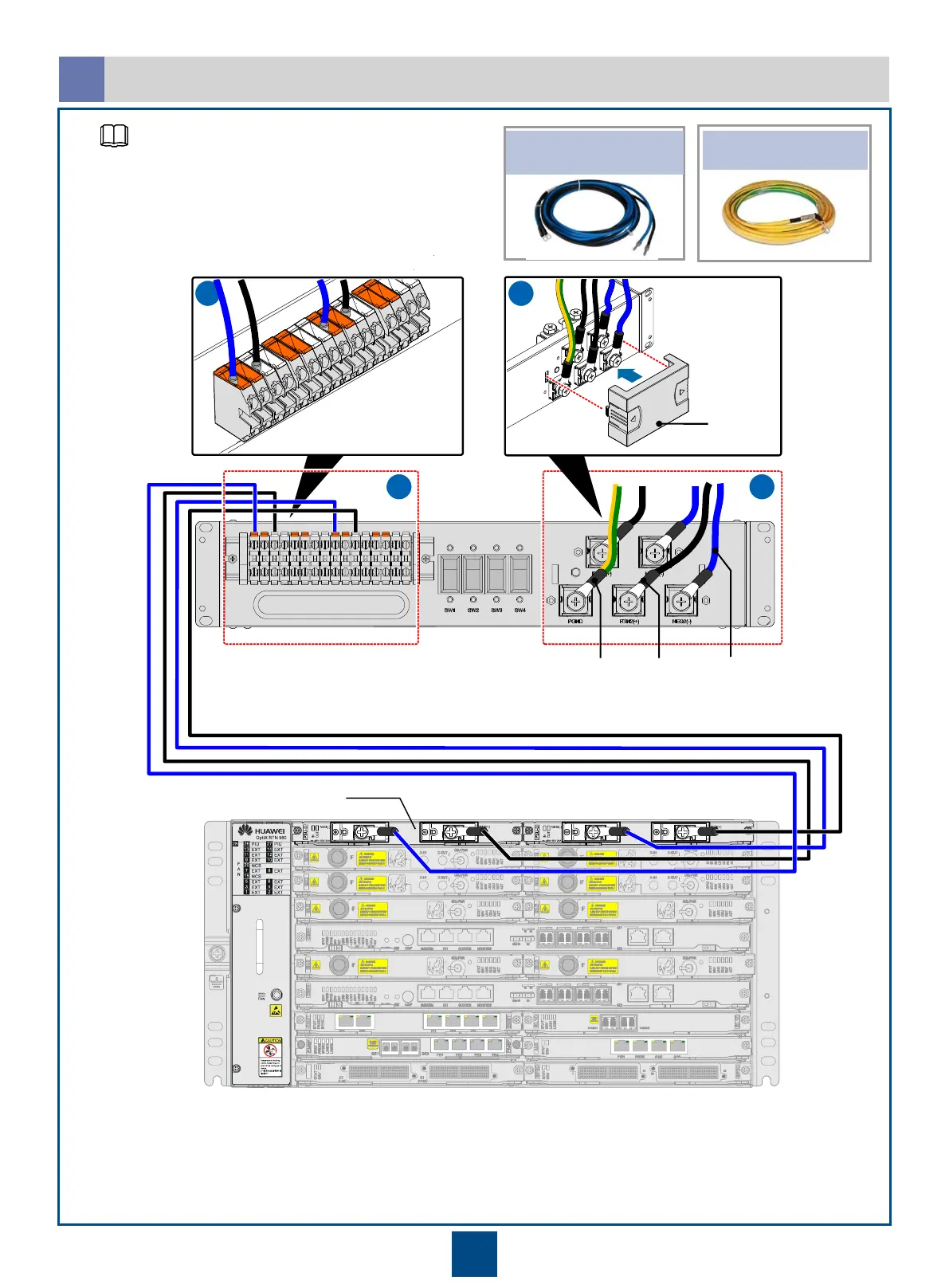
Ensure that the circuit breaker of the PDU is set to the OFF state. Insert the DC connector into the power port
of the PDU. Ensure that the two groups of power cables are connected to different wiring terminals,
PIU boards in 1+1 hot backup mode
RTN (+)
Connections Between Power Cables
c
PGND cable
Pow er cable for the subrack
NEG (-)
Cover
PGND cable
C3 PDU can be used only in the central
telecommunications room. A maximum of two RTN
980 NEs can be installed in a cabinet.
NOTE


 To Next Page