5
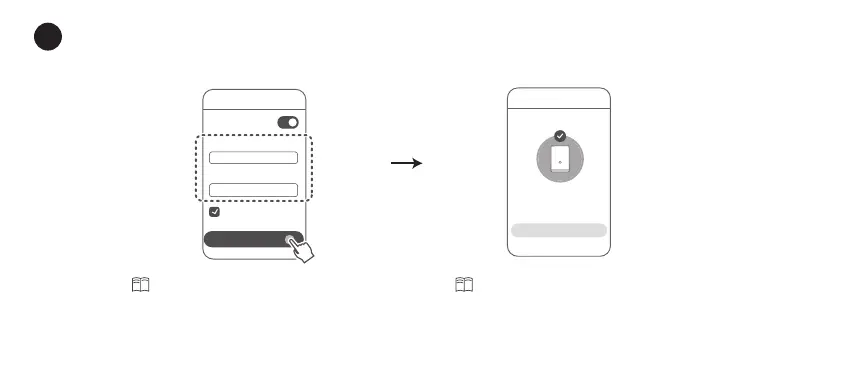
Set a new Wi-Fi name, Wi-Fi password, and management password for the new router.
You can use the Wi-Fi password as the router's management password.
5
Step 2
Network settings
Prioritize 5 GHz
Use Wi-Fi password
as router password
Wi-Fi name
Wi-Fi password
NEXT
NEXT
Enable
Prioritize 5 GHz
: The 2.4 GHz
and 5 GHz Wi-Fi names are the same.
You will automatically connect to the
faster Wi-Fi network.
Reconnect to the router's Wi-Fi
to access the Internet.






 To Next Page