EasyManua.ls Logo

Huawei R240D - Page 43

Huawei R240D
112 pages
Print Icon
To Next Page IconTo Next Page
To Previous Page IconTo Previous Page
Loading...
R240D
Hardware Installation and Maintenance Guide
5 Appendix
Huawei Proprietary and Confidential
Copyright © Huawei Technologies Co., Ltd.
37
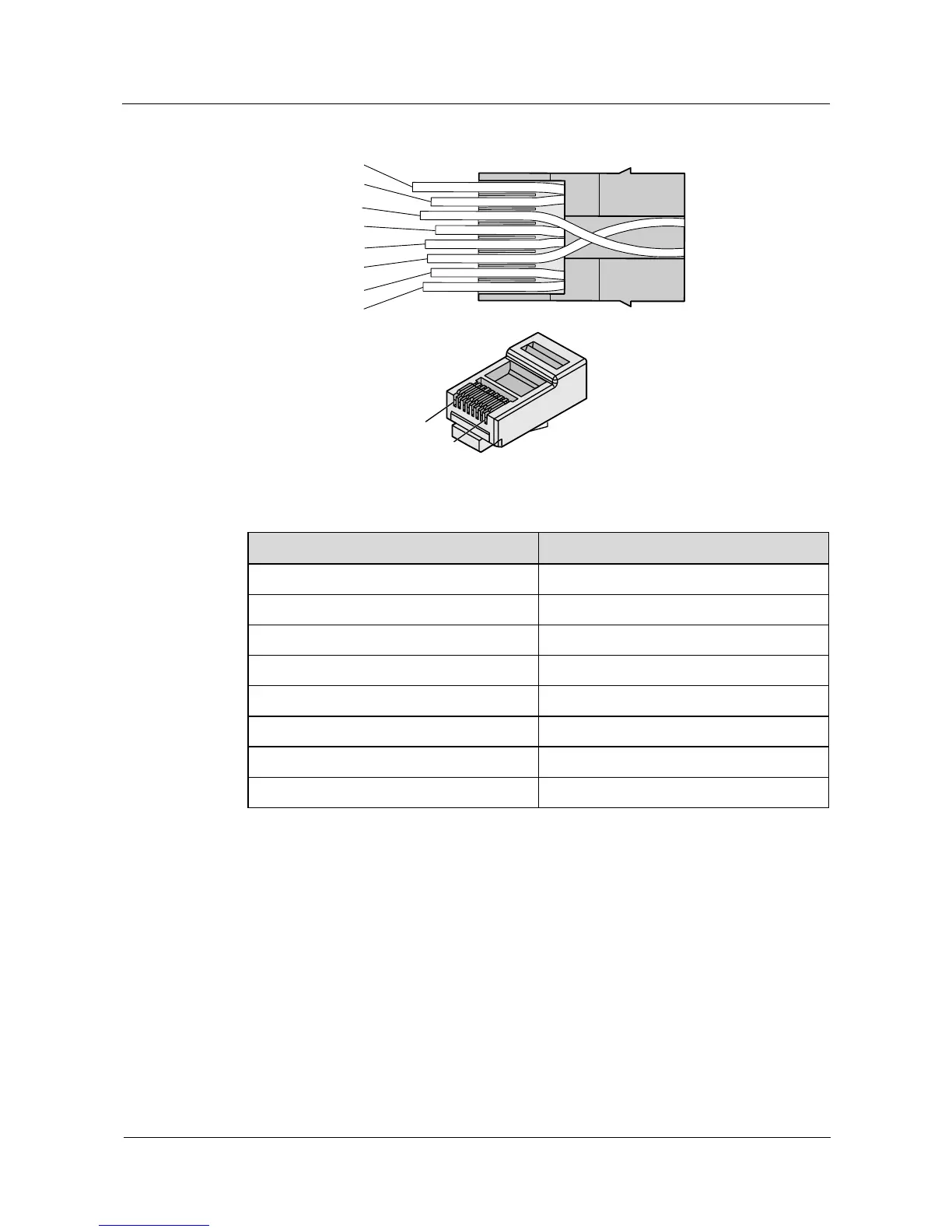
Figure 5-23 Connections between wires and pins
Brown
White-Brown
Green
White-Blue
Blue
White-Green
Orange
White-Orange
Pin 8
Pin 1
Table 5-5 Connections between wires and pins (using a straight-through cable as an example)
Matching Pins of Wires
Wire Color
1
White-Orange
2
Orange
3
White-Green
4
Blue
5
White-Blue
6
Green
7
White-Brown
8
Brown
Step 7 Cut off the surplus cables along the lower edge of the wire holder, as shown in Figure 5-24.

Table of Contents

Other manuals for Huawei R240D

Related product manuals