Huawei Proprietary and Confidential
Copyright © Huawei Technologies Co., Ltd.
Figure 5-24 Cutting off surplus cables
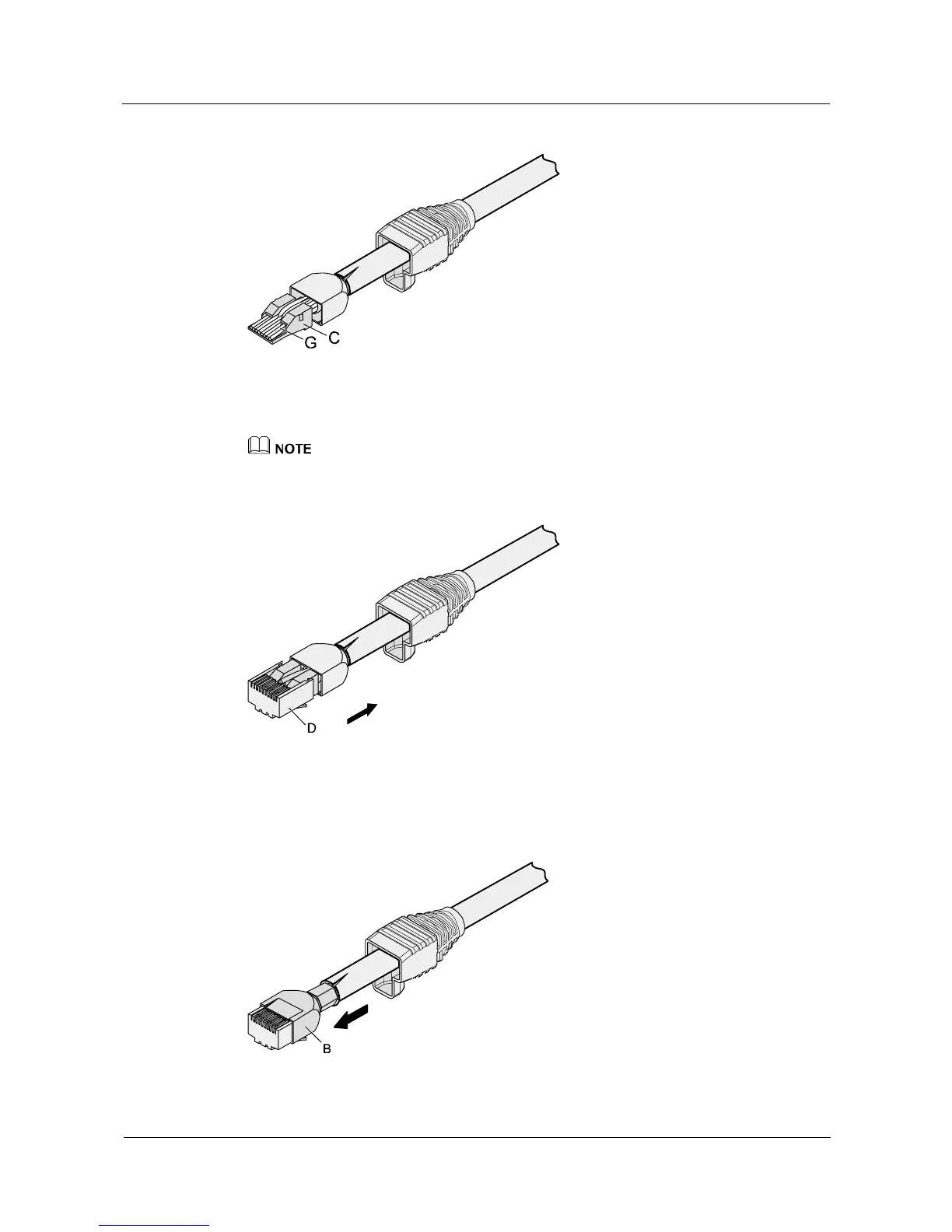
Step 8 Put the connector body onto the wire holder and turn the metal shell by 90°, as shown in
Figure 5-25.
Ensure that the wire holder is in good contact with the connector body.
Figure 5-25 Putting the connector body onto the wire holder
Step 9 Push the metal shell toward the connector body until the wire holder and the connector body
are engaged completely. Crimp the connector, as shown in Figure 5-26.
Figure 5-26 Crimping the connector



 To Next Page