Huawei Proprietary and Confidential
Copyright © Huawei Technologies Co., Ltd.
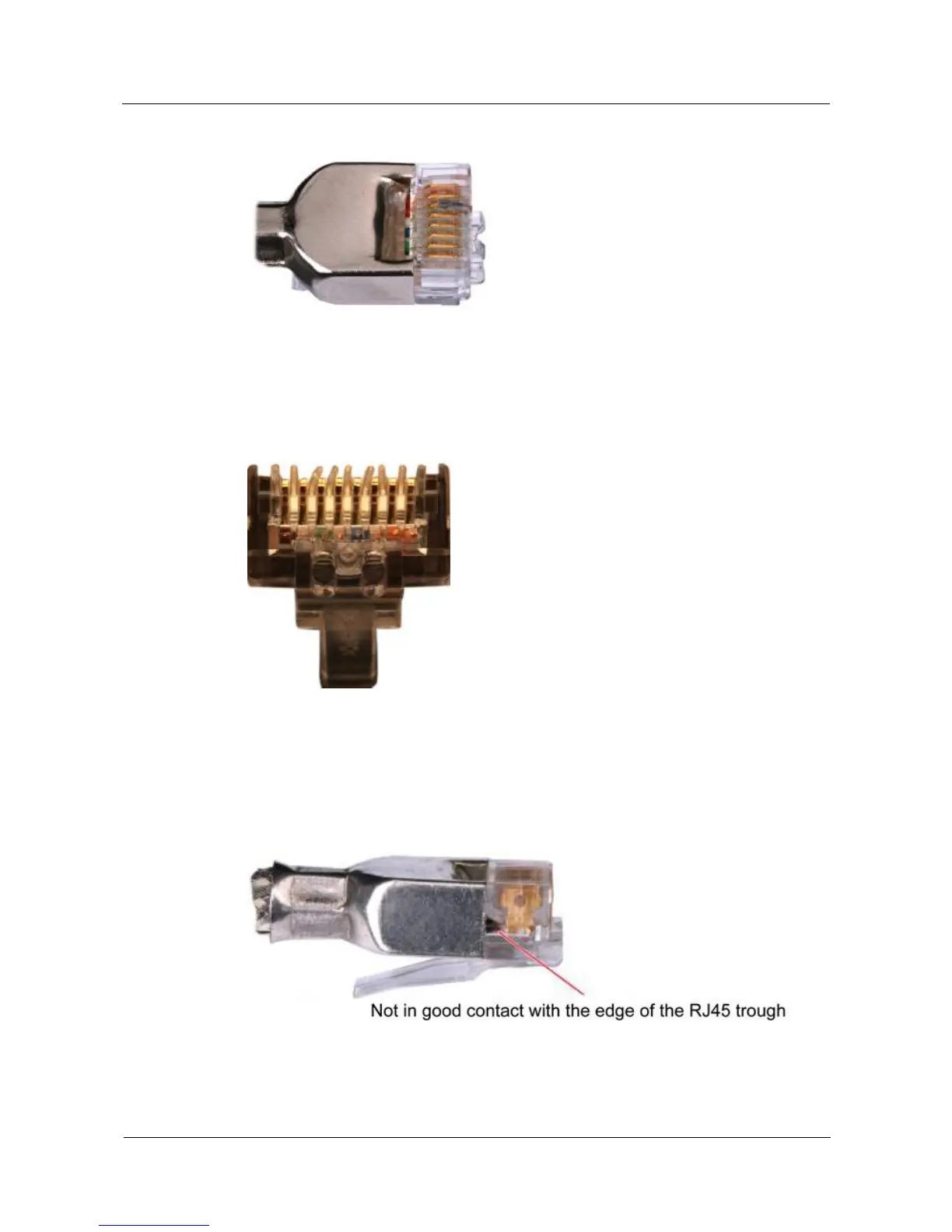
Figure 5-35 Dirt on a contract strip
Step 4 Check whether the contact strips and the plastic separators are well aligned and intact. If a
separator is skewed and cannot be fixed, replace it with a new RJ45 connector. Figure 5-36
shows an unqualified piece.
Figure 5-36 Skewed plastic separators
Step 5 Hold the connector with the side facing towards you, and check whether you can see the
cross-sections of the wires. Ensure that the ends of the wires are in good contact with the edge
of the RJ45, and that the contact strip blade extends beyond the ends of the wires and is
crimped with the wires. If not, replace the connector. Figure 5-37 shows an unqualified piece.
Figure 5-37 Wires not in good contact with the edge of the RJ45
----End



 To Next Page