EasyManua.ls Logo

Huawei SUN2000-20KTL-M3 - User Manual

Huawei SUN2000-20KTL-M3
142 pages
Print Icon
To Next Page IconTo Next Page
Loading...
SUN2000-(20KTL, 29.9KTL, 30KTL, 36KTL, 40KTL)-
M3
User Manual
Issue 18
Date 2024-03-10
HUAWEI TECHNOLOGIES CO., LTD.

Table of Contents

Other manuals for Huawei SUN2000-20KTL-M3

Questions and Answers

  • S
    stuart66Sep 23, 2025
    How to troubleshoot 'Built-in PID operation abnormal' on Huawei SUN2000-20KTL-M3 Inverter?
    • D
      Derek FoxSep 23, 2025
      If you encounter a 'Built-in PID operation abnormal' error on your Huawei Inverter: ? If Cause ID = 1: Turn off the AC output switch and DC input switch, wait for a period of time, and then turn on the DC input switch and AC output switch. If the alarm persists, contact your dealer or Huawei technical support. ? If Cause ID = 2: Check the impedance between the PV array output and the ground. If a short circuit occurs or the insulation is insufficient, rectify the fault. If the alarm persists, contact your dealer or Huawei technical support.
  • D
    Dr. Ann MartinezAug 23, 2025
    Why is my Huawei SUN2000-20KTL-M3 showing 'High string input voltage'?
    • C
      Christopher WillisAug 25, 2025
      The 'High string input voltage' error on your Huawei Inverter means the PV array isn't configured correctly. There are too many PV modules connected in series, causing the PV string open-circuit voltage to exceed the inverter's maximum operating voltage. To fix this, reduce the number of PV modules connected in series until the PV string open-circuit voltage is at or below the maximum inverter operating voltage. The alarm should then disappear.
  • A
    Amanda MartinezAug 25, 2025
    What to do if my Huawei SUN2000-20KTL-M3 Inverter displays 'DC arc fault'?
    • K
      Kimberly MedinaAug 26, 2025
      If your Huawei Inverter is showing a 'DC arc fault', it means the PV string power cables are arcing or have poor contact. You should check the PV string cables for arcing or poor connections.
  • A
    Angelica JonesAug 26, 2025
    What causes 'String reverse connection' in Huawei SUN2000-20KTL-M3 Inverter and how to fix it?
    • C
      Charlene TurnerAug 27, 2025
      The 'String reverse connection' error in your Huawei Inverter means the PV string polarity is reversed. To resolve this, wait until night when solar irradiance decreases and the PV string current drops below 0.5 A. Then, turn off both DC switches and correct the PV string connection.
  • J
    Jorge LynchAug 27, 2025
    Why does my Huawei SUN2000-20KTL-M3 Inverter show 'Grid overvoltage'?
    • T
      Tammy HaneyAug 27, 2025
      A 'Grid overvoltage' alarm on your Huawei Inverter indicates that the power grid voltage exceeds the upper threshold, or the high voltage duration has exceeded the value specified by HVRT. If the alarm is occasional, the power grid may be temporarily abnormal, and the inverter should recover automatically. If the alarm persists, check if the power grid frequency is within the acceptable range, and contact the local power operator if it is not. If the frequency is normal, consider modifying the grid overfrequency protection threshold through the app, SmartLogger, or NMS with the consent of the local power operator. Also, check whether the peak voltage of the power grid is too high, and if the alarm persists long-term, contact the local power operator.
  • A
    Amanda EdwardsSep 15, 2025
    What does it mean if my Huawei SUN2000-20KTL-M3 Inverter shows a 'Device fault'?
    • P
      probertsSep 15, 2025
      If your Huawei Inverter displays a 'Device fault', it indicates an unrecoverable fault has occurred within the inverter's internal circuitry. To attempt a resolution, turn off the AC output switch and DC input switch, wait 5 minutes, and then turn them back on. If the alarm persists, contact your dealer or Huawei technical support.
  • O
    ojacksonSep 12, 2025
    What does 'Abnormal residual current' mean on Huawei SUN2000-20KTL-M3?
    • C
      connor76Sep 13, 2025
      An 'Abnormal residual current' alarm on your Huawei Inverter indicates that the insulation impedance of the input side to PE decreases when the inverter is operating. If the alarm occurs accidentally, the external power cable may be abnormal temporarily, and the inverter automatically recovers after the fault is rectified. If the alarm persists or lasts a long time, check whether the impedance between the PV string and ground is too low.
  • A
    Alisha RodriguezSep 13, 2025
    What to do if Huawei SUN2000-20KTL-M3 Inverter displays 'AFCI self-check failure'?
    • N
      Nicolas WheelerSep 14, 2025
      To address an 'AFCI self-check failure' on your Huawei Inverter, turn off the AC output switch and DC input switch, and then turn them on again after 5 minutes. If the alarm persists, contact Huawei technical support.
  • M
    Margaret MorrisSep 5, 2025
    How to deal with 'Low insulation resistance' error on Huawei Inverter?
    • M
      Melissa BlakeSep 5, 2025
      If your Huawei Inverter is showing a 'Low insulation resistance' error, it could be due to: ? The PV array being short-circuited with PE. ? The PV string being in a moist environment for a long time, and the circuit not being well insulated to ground. To address this: ? Check the impedance between the PV string and the PE cable. If a short circuit occurs, rectify the fault. ? Check whether the PE cable of the inverter is correctly connected. ? If you've confirmed that the impedance is lower than the specified protection threshold in a cloudy or rainy environment, log in to the app, SmartLogger, or NMS and set the Insulation resistance protection threshold.
  • H
    hpinedaSep 2, 2025
    What does 'Grid underfrequency' mean for Huawei SUN2000-20KTL-M3 Inverter?
    • T
      travisandrewSep 2, 2025
      A 'Grid underfrequency' alarm on your Huawei Inverter indicates a power grid exception. The actual power grid frequency is lower than the requirements for the local power grid code. If the alarm occurs occasionally, the power grid may be temporarily abnormal. The inverter automatically recovers after detecting that the power grid becomes normal. If the alarm persists, check whether the power grid frequency is within the acceptable range. If not, contact the local power operator. If yes, modify the grid underfrequency protection threshold through the app, SmartLogger, or NMS with the consent of the local power operator.

Summary

About This Document

Purpose

Document describes the SUN2000 inverter's features, functions, and safety precautions.

Symbol Conventions

Defines symbols used in the document for hazards and notes.

Safety Information

Personal Safety

Guidelines and warnings for personal safety during operation and maintenance.

Electrical Safety

Warnings and precautions related to electrical hazards and safe practices.

Environment Requirements

Requirements for installation and operating environments for optimal performance and safety.

Mechanical Safety

Safety precautions related to the physical handling and installation of the equipment.

Overview

Product Introduction

Introduces the SUN2000 inverter and its function in grid-tied PV systems.

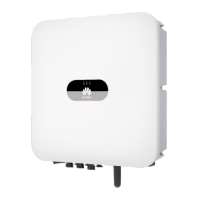
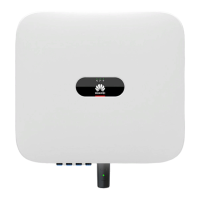
Appearance

Provides a visual overview of the SUN2000 inverter's external components.

Label Description

Explains the meaning of various labels and warnings found on the inverter enclosure.

Working Principles

Explains the internal workings and operating modes of the SUN2000 inverter.

Installation

Tools

Lists necessary tools and instruments required for installation.

Determining the Installation Position

Essential requirements for selecting a suitable installation location for the inverter.

Installing the Mounting Bracket

Instructions for installing the mounting bracket for support or wall mounting.

Installing the Inverter

Step-by-step guide to installing the inverter onto the mounting bracket.

Electrical Connections

Precautions

Critical safety warnings and precautions before making electrical connections.

Connecting the PE Cable

Step-by-step instructions for securely connecting the protective earthing (PE) cable.

Connecting an AC Output Power Cable

Precautions and procedures for connecting the AC output power cable.

Connecting DC Input Power Cables

Instructions and precautions for connecting DC input power cables to the inverter.

Commissioning

Checking Before Power-On

Checklist for verifying installation and connections before powering on the inverter.

System Power-On

Step-by-step procedure for powering on the inverter system and checking its status.

Human-Machine Interaction

Scenario in Which SUN2000 s Are Connected to the FusionSolar Smart PV Management System

How to connect and configure the inverter using the FusionSolar app.

Energy Control

Settings for managing inverter output power and current to meet grid requirements.

Maintenance

System Power-Off

Procedure and precautions for safely powering off the inverter system.

Routine Maintenance

Schedule and methods for performing routine maintenance on the inverter.

Technical Specifications

Input

Details input specifications like recommended power, voltage, and current for the SUN2000 models.

Output

Details output specifications like rated power, voltage, and current for the SUN2000 models.

Protection

Lists the protection features available in the SUN2000 inverter.

General Specifications

Provides general specifications like dimensions, weight, temperature, and humidity.

Grid Codes

Device Commissioning

Access Device commissioning screen.

How to access the device commissioning screen via the FusionSolar app.

Built-in PID Recovery

Rapid Shutdown

NS Protection

Resetting a Password

AFCI

PV String Access Detection

Locating Insulation Resistance Faults

Contact Information

Acronyms and Abbreviations

Huawei SUN2000-20KTL-M3 Specifications

General IconGeneral
Input Voltage Range200 V - 1000 V
Max. Efficiency98.6%
MPPT Efficiency99.9%
Number of MPPTs2
Cooling MethodNatural convection
Protection ClassIP65
Max. DC Voltage1100 V
Start Voltage200 V
Rated AC Voltage400 V
European Efficiency98.3%
Rated Output Voltage400 V
Output Frequency50 Hz / 60 Hz
Rated Output Power20000 W
Max. AC Power22000 W
Operating Temperature Range-25 °C ~ +60 °C
Maximum Output Power22000 W
Weight (kg) Model 225
Weight (kg) Model 325
Max. DC Power30, 000 W
Maximum DC Input Power30000 W

Related product manuals