EasyManua.ls Logo

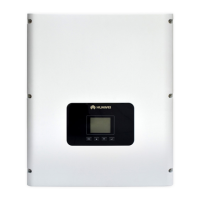
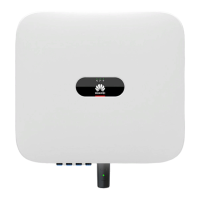
Huawei SUN2000-(2KTL-6KTL)-L1 - User Manual

Huawei SUN2000-(2KTL-6KTL)-L1
119 pages
Print Icon
To Next Page IconTo Next Page
Loading...
SUN2000-(2KTL-6KTL)-L1
User Manual
Issue 03
Date 2020-09-15
HUAWEI TECHNOLOGIES CO., LTD.

Table of Contents

Other manuals for Huawei SUN2000-(2KTL-6KTL)-L1

Questions and Answers

  • A
    Amy HughesSep 10, 2025
    What does 'Abnormal PV Module' mean on my Huawei SUN2000-(2KTL-6KTL)-L1?
    • K
      Kevin PattersonSep 10, 2025
      If your Huawei Inverter reports an abnormal PV module, it could be due to several reasons: the PV module doesn't meet requirements, or the PV module output is reversely connected or short-circuited. Check whether the total number of PV modules, the number of modules in a string, and the number of PV strings meet the specified requirements. Also, verify that the PV module output is not reversely connected.
  • J
    Jacob TaylorAug 23, 2025
    How to fix a DC Arc Fault on a Huawei SUN2000-(2KTL-6KTL)-L1 Inverter?
    • C
      Cory MartinAug 23, 2025
      If you're encountering a DC Arc Fault with your Huawei Inverter, it could be due to arcing or poor contact in the PV string power cables. Check the string cables to ensure they are properly connected and not arcing.
  • T
    Tyler DonaldsonAug 25, 2025
    What to do when my Huawei SUN2000-(2KTL-6KTL)-L1 shows a Grid Overvoltage error?
    • M
      Michael GrayAug 25, 2025
      If your Huawei Inverter is showing a grid overvoltage alarm, here's what to do: 1. If the alarm appears occasionally, it might be due to a temporary issue with the power grid. The inverter should automatically recover once the grid returns to normal. 2. If the alarm occurs frequently, check if the power grid voltage is within the acceptable range. If it's not, contact your local power operator.
  • D
    diazemmaAug 26, 2025
    What to do if my Huawei Inverter reports a Grid Undervoltage issue?
    • M
      Megan StuartAug 27, 2025
      If your Huawei Inverter displays a grid undervoltage error, consider the following: 1. If the alarm is infrequent, the power grid may be temporarily abnormal. The inverter should automatically recover when the grid normalizes. 2. If the alarm is frequent, verify that the power grid voltage is within the allowed range. If it's not, contact your local power operator. If it is, you may need to adjust the grid undervoltage protection threshold using the mobile app, SmartLogger, or network management system (NMS), but only with the consent of the local power operator.
  • V
    Victoria WeissAug 28, 2025
    How to troubleshoot a High String Input Voltage error on a Huawei SUN2000-(2KTL-6KTL)-L1 Inverter?
    • R
      Robin WillisAug 28, 2025
      A high string input voltage on your Huawei Inverter typically means the PV array isn't properly connected. Too many PV modules might be connected in series, causing the open-circuit voltage to exceed the inverter's maximum operating voltage. Check the serial connections of the PV string to ensure the open-circuit voltage doesn't exceed the maximum operating voltage. Once corrected, the alarm should disappear.
  • T
    Tyler CraigAug 29, 2025
    What does it mean when my Huawei SUN2000-(2KTL-6KTL)-L1 displays a Grid Overfrequency error?
    • K
      karen49Aug 29, 2025
      If your Huawei Inverter is showing a grid overfrequency alarm, it indicates a power grid exception where the actual frequency is higher than the standard requirement. Here's what you can do: 1. If the alarm occurs occasionally, it might be a temporary grid issue, and the inverter should recover automatically. 2. If the alarm occurs frequently, check if the power grid frequency is within the allowed range. If it's not, contact your local power operator.
  • T
    Thomas RobinsonSep 18, 2025
    What does 'Battery Abnormal' mean on my Huawei Inverter?
    • A
      angela04Sep 18, 2025
      If your Huawei Inverter displays a battery abnormal message, and the battery fault indicator is steady on or blinking, contact the battery supplier. Also, check that the battery enabling/power/communications cable is correctly installed.
  • J
    Joe TaylorSep 12, 2025
    What does it mean if my Huawei SUN2000-(2KTL-6KTL)-L1 Inverter shows 'Output DC Component Overhigh'?
    • J
      Justin McbrideSep 12, 2025
      If your Huawei Inverter displays an 'Output DC Component Overhigh' error, it means the DC component of the output current exceeds the upper threshold. The inverter detects its external working conditions in real time and should automatically recover after the fault is cleared. If the alarm occurs frequently, contact your dealer or Huawei technical support.
  • T
    Tyler BrennanSep 8, 2025
    How to resolve an Overtemperature warning on a Huawei SUN2000-(2KTL-6KTL)-L1?
    • C
      Carla HessSep 8, 2025
      If your Huawei Inverter is overheating, improve the ventilation and heat dissipation around the installation area, especially if the ambient temperature is high.
  • K
    Kristi BishopSep 5, 2025
    What causes an Output Overcurrent error on a Huawei Inverter?
    • J
      Joshua JordanSep 5, 2025
      If your Huawei Inverter is showing an output overcurrent error, it indicates that the inverter's transient output current has exceeded the upper threshold, triggering protection. This can be due to a dramatic drop in power grid voltage or a short circuit. Here's what to do: 1. The inverter monitors its external working conditions in real time and should automatically recover after the fault clears. 2. If the alarm occurs frequently and affects energy yield, check for a short circuit at the output. If the problem persists, contact your dealer or Huawei technical support.

Summary

Safety Information

1.1 General Safety

Provides essential safety instructions for equipment installation, operation, and maintenance, emphasizing adherence to warnings and local regulations.

1.2 Personnel Requirements

Specifies qualifications, training, and experience needed for personnel involved in installing, operating, and maintaining Huawei equipment.

1.3 Electrical Safety

Details critical safety guidelines for electrical connections, including grounding and precautions for AC/DC power to prevent shocks.

1.4 Installation Environment Requirements

Outlines essential environmental conditions for safe installation, focusing on ventilation and avoiding hazardous atmospheres.

1.5 Mechanical Safety

Covers safety procedures for mechanical operations like ladder use and handling heavy objects to prevent injuries.

1.6 Commissioning

Emphasizes correct parameter settings by qualified personnel during initial power-on for safe and proper operation.

1.7 Maintenance and Replacement

Provides safety precautions for maintenance, stressing power-off procedures and adherence to guidelines for safe operations.

Product Introduction

2.1 Overview

Introduces the SUN2000 as a single-phase grid-tied string inverter and lists supported product models.

Networking Application

Illustrates typical networking scenarios for SUN2000 in residential grid-tied systems, showing system components and connections.

Supported Power Grid Types

Details the power grid types supported by the SUN2000, including TN-S, TN-C, TN-C-S, and TT.

2.2 Component Description

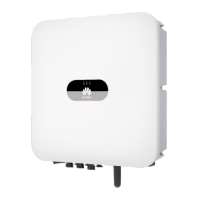
Provides a detailed visual and textual description of the SUN2000's physical components and ports.

2.3 Label Description

Explains the meaning and purpose of various labels and warnings found on the SUN2000 enclosure.

Nameplate

Describes the information presented on the SUN2000 nameplate, including trademark, model, and technical specifications.

2.4 Working Principles

Explains the functional schematic diagram and operational principles of the SUN2000, including DC to AC conversion and battery support.

Working Mode

Details the different operating modes of the SUN2000 (Standby, Operating, Shutdown) and the conditions for transitioning between them.

SUN2000 Storage

System Installation

4.1 Checking Before the Installation

Guides users on pre-installation checks of outer packing and delivered components to ensure integrity and correctness.

4.2 Preparing Tools and Instruments

Lists necessary tools, instruments, and personal protective equipment (PPE) required for the installation process.

4.3 Determining the Installation Position

Provides requirements and environmental considerations for selecting an appropriate installation location for the SUN2000.

Installation Environment Requirements

Specifies environmental conditions for installation, including ventilation, direct sunlight avoidance, and protection from extreme weather.

Mounting Structure Requirements

Details requirements for the mounting structure, ensuring fire resistance, solid support, and consideration of noise insulation.

Installation Angle Requirements

Defines acceptable installation angles for wall/pole-mounted SUN2000 units to facilitate heat dissipation.

Installation Space Requirements

Specifies clearance required around the SUN2000 for installation and effective heat dissipation, including horizontal and triangle modes.

4.4 Moving a SUN2000

Provides step-by-step instructions and safety precautions for safely moving the SUN2000 unit during installation.

4.5 Installing a SUN2000

Outlines installation precautions and provides mounting bracket dimensions for the SUN2000.

4.5.1 Wall-Mounted Installation

Details the procedure for wall-mounting the SUN2000, including drilling, securing the bracket, and using expansion bolts.

4.5.2 Support-Mounted Installation

Describes steps for installing SUN2000 on a support structure, including hole determination, drilling, and bracket mounting.

Electrical Connection

Precautions

Emphasizes critical safety precautions before connecting cables, including DC switch status and potential electric shock hazards.

5.1 Preparing Cables

Details components and their sources for electrical connections, including PV strings, DC switches, batteries, and smart dongles.

5.2 Connecting PE Cables

Provides instructions and precautions for correctly connecting PE cables to ensure electrical safety.

5.3 (Optional) Installing a Smart Dongle

Explains the procedure for installing optional Smart Dongles for communication and connectivity features of the SUN2000.

5.4 Installing a WLAN Antenna

Details steps for installing the WLAN antenna to enable wireless communication for the SUN2000.

5.5 Connecting an AC Output Power Cable

Guides on connecting the AC output power cable, emphasizing the need for an AC switch for safe disconnection.

5.6 Connecting DC Input Power Cables

Provides detailed instructions and safety warnings for connecting DC input power cables, including polarity checks and connector assembly.

5.7 (Optional) Connecting Battery Cables

Outlines procedures and safety precautions for connecting battery cables to the SUN2000 for energy storage expansion.

5.8 (Optional) Connecting Signal Cables

Explains how to connect signal cables for communication, detailing COM port definitions and connection scenarios.

System Commissioning

6.1 Verification Before Power-On

Lists critical check items and acceptance criteria to verify before powering on the SUN2000 system for proper installation.

6.2 System Power-On

Details prerequisites and the step-by-step procedure for powering on the SUN2000 system, including switch operations and LED status checks.

Man-Machine Interaction

7.1 App Commissioning

Guides on using the FusionSolar app for device commissioning, including app download and initial setup steps.

7.1.2 (Optional) Registering an Installer Account

Describes registering an installer account in the FusionSolar app to manage PV plants and users.

7.1.3 Creating a PV Plant and a User

Explains how to create a PV plant and add users in the FusionSolar app for system monitoring and management.

7.1.4 (Optional) Setting the Physical Layout of the Smart PV Optimizers

Details setting up the physical layout of smart PV optimizers in the FusionSolar app for accurate system visualization.

Scenario 1: Setting on the FusionSolar Server Side (Solar Inverter Connected to the Management System)

Describes uploading physical layout templates via FusionSolar app/WebUI for system configuration and monitoring.

Scenario 2: Setting on the Solar Inverter Side (Solar Inverter Not Connected to the Management System)

Explains setting the physical layout of Smart PV Optimizers directly in FusionSolar app when inverter is not connected.

7.2 Parameters Settings

Guides on accessing and configuring SUN2000 parameters via Device Commissioning screen and Settings menu.

7.2.1 Energy Control

Details adjusting energy control settings, including active power, reactive power, and grid-tied point control via FusionSolar app.

7.2.1.1 Grid-tied Point Control

Explains function and configuration of grid-tied point control for limiting PV system output power within specified deviation limits.

7.2.1.2 Battery Control

Provides instructions for setting battery parameters, including forced charge/discharge and control modes.

7.2.2 AFCI

Explains AFCI function, its automatic detection, and how to clear DC arc fault alarms.

7.2.3 IPS Check (for Italy CEI0-21 Grid Code Only)

Details IPS check procedure required by Italy CEI0-21 grid code, covering voltage and frequency protection thresholds.

7.2.4 DRM (Australia AS4777)

Explains DRM function required by AS 4777.2-2015, including its mandatory DRM0 requirement.

System Maintenance

8.1 System Power-Off

Provides step-by-step instructions for safely powering off the SUN2000 system, including shutdown commands and switch operations.

8.2 Routine Maintenance

Outlines a maintenance checklist and intervals for ensuring SUN2000 operates properly long-term, covering cleanliness and connections.

8.3 Troubleshooting

Details common alarms, their severity, possible causes, and troubleshooting measures for diagnosing and resolving SUN2000 issues.

SUN2000 Disposal

9.1 Removing a SUN2000

Provides instructions for safely removing the SUN2000 unit from its mounting bracket and disconnecting all cables.

9.2 Packing a SUN2000

Offers guidance on packing the SUN2000 unit for storage or transport, using original or suitable packaging.

9.3 Disposing a SUN2000

Instructs on proper disposal of SUN2000 at its service life end, following local environmental regulations.

Technical Parameters

10.1 SUN2000 Technical Specifications

Presents detailed technical specifications for SUN2000 models, covering efficiency, input, and output ratings.

Protection

Lists protection features supported by SUN2000, including anti-islanding, DC reverse polarity, and overvoltage/overcurrent protections.

Communications

Details SUN2000 communication specifications, including display, WLAN, RS485 support, and communication distance.

Common Parameters (SUN2000)

Summarizes common SUN2000 parameters: topology, IP rating, dimensions, weight, temperature, humidity, and altitude.

10.2 Optimizer Technical Specifications

Provides technical specifications for the SUN2000-450W-P optimizer, covering efficiency, input, output, and common parameters.

Efficiency

Provides efficiency ratings (maximum and European weighted) for the SUN2000-450W-P optimizer.

Input

Lists input specs for SUN2000-450W-P optimizer: rated PV module power, max PV module power, input voltage, MPPT range.

Output

Details output specs for SUN2000-450W-P optimizer: rated output power, output voltage, and max output current.

Common Parameters (Optimizer)

Summarizes common specs for SUN2000-450W-P optimizer: dimensions, net weight, terminals, operating temp, storage, humidity, IP rating.

A Grid Code

B Device Commissioning

C Resetting Password

D Rapid Shutdown

E Locating Insulation Resistance Faults

F Acronyms and Abbreviations

Huawei SUN2000-(2KTL-6KTL)-L1 Specifications

General IconGeneral
Output Frequency50 Hz / 60 Hz
CoolingNatural Convection
Protection DegreeIP65
Max. Apparent AC Power2, 200 VA / 3, 300 VA / 4, 000 VA / 4, 400 VA / 5, 500 VA / 6, 600 VA
Max Output Power2, 200 W / 3, 300 W / 4, 000 W / 4, 400 W / 5, 500 W / 6, 600 W
Rated Output Voltage220V/230V
Operating Temperature-25 °C ~ +60 °C
ModelSUN2000-(2KTL-6KTL)-L1
Rated Output Power2000W-6000W
Input Voltage Range90V-450V
MPPT Voltage Range90V-450V

Related product manuals