1
About Sharing a
Presentation
To stop sharing, click Stop or
Disconnect.
Obtain the AirPresence PC client
installation package from the
endpoint's software package.
The AirPresence PC runs in:
• 32-bit Windows XP
• 32-/64-bit Windows
7/8/8.1/10
• 32-/64-bit OS X 10.7–10.11
Quick Start
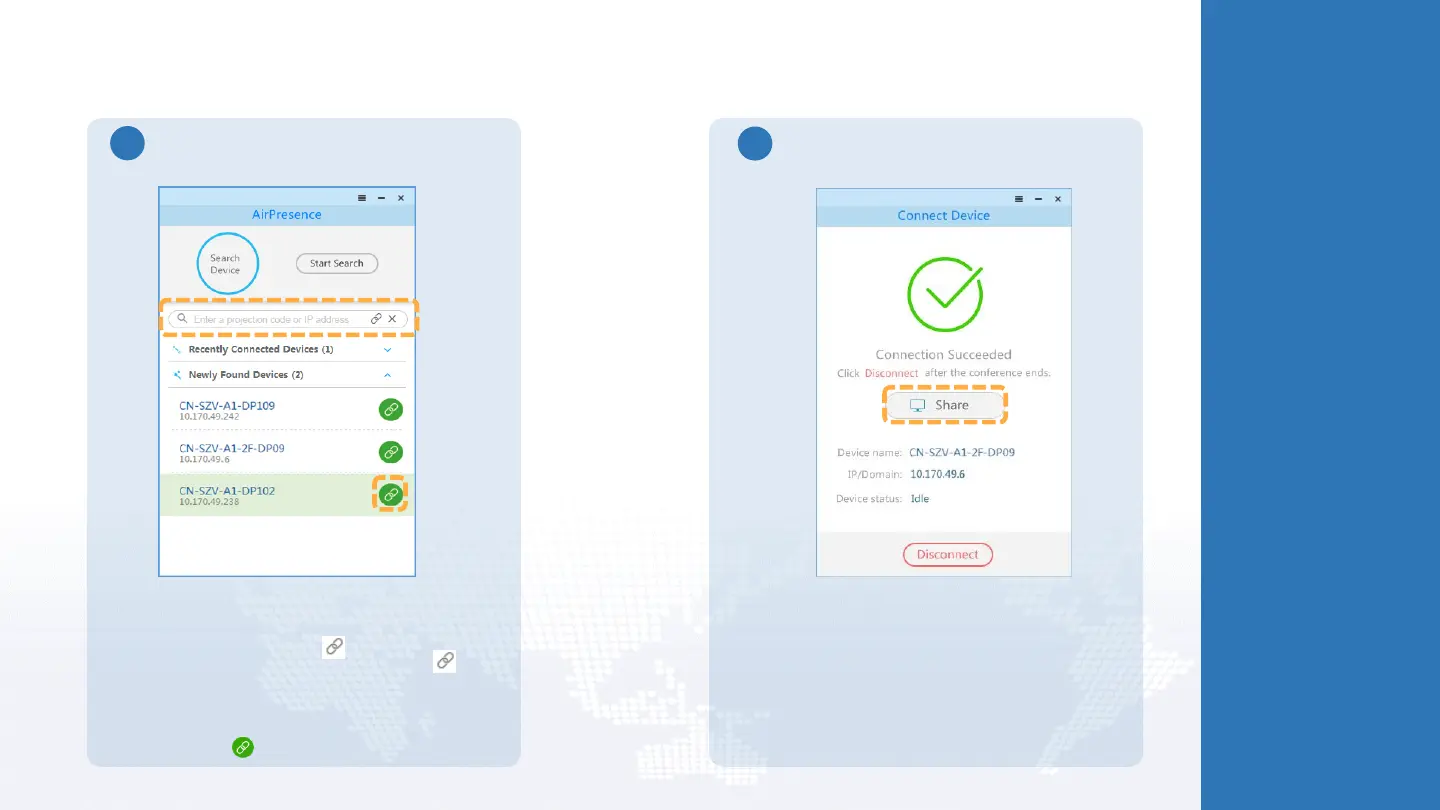
Share a Presentation Using the AirPresence PC Client
Connect the AirPresence PC client to an endpoint
through one of the following methods:
• Enter the projection code found on the endpoint's
user interface and click .
• Enter the endpoint's IP address and click .
Then enter the connection password on the
AirPresence client or accept the connection request
from the endpoint's user interface.
• Find the endpoint in the Newly Found Devices list
and click .
Tap Share.
2





 To Next Page