Control a Conference
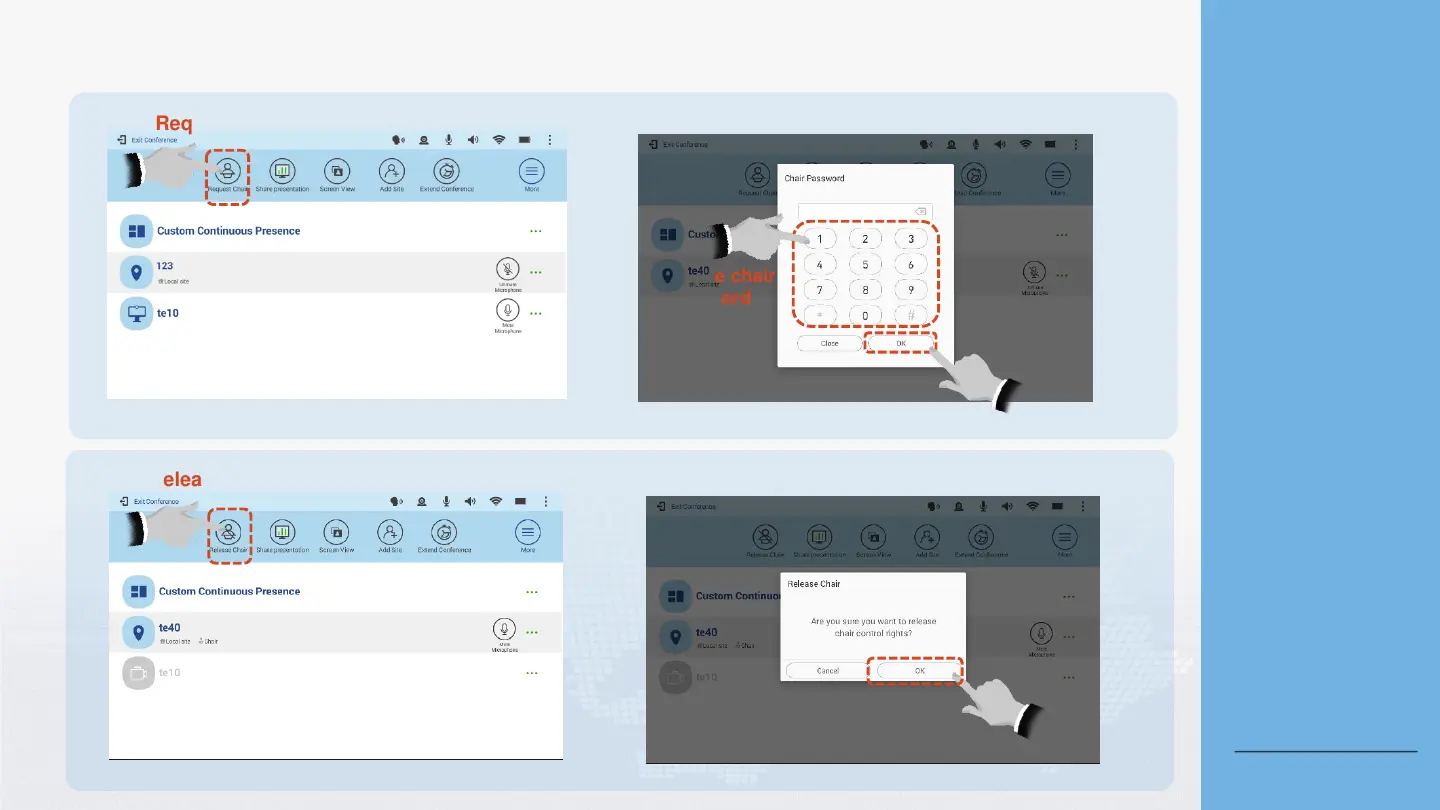
Request/Release Chair Control Rights
To request chair control rights:
To release chair control rights:
3
Tap OK.
Enter the chair
password.
2
Tap Request Chair.
1
Tap Release Chair.
1
2
Tap OK.
About the Chair
Password
If a chair password has been
set for a conference, you will
be granted chair control
rights only after entering the
password. Obtain the chair
password from the SMC
administrator or conference
organizer.
About Releasing Chair
Control Rights
Applying for the chair role is
allowed only when no chair
site exists in the conference.
Back to Contents





 To Next Page