Quick Start
Share a Presentation Using the AirPresence Mobile Client
About AirPresence
• AirPresence is a wireless
projection client designed for
the endpoint. It can be
installed on a PC or mobile
device.
• The projection code is
available on the endpoint's
user interface after
Connection policy is set to
Projection code under
System Settings > Security
> Air Content Sharing on the
endpoint's web interface.
The AirPresence mobile client runs
in:
• Android 5.0 or later
• iOS 7.0–11.0
Back to Contents
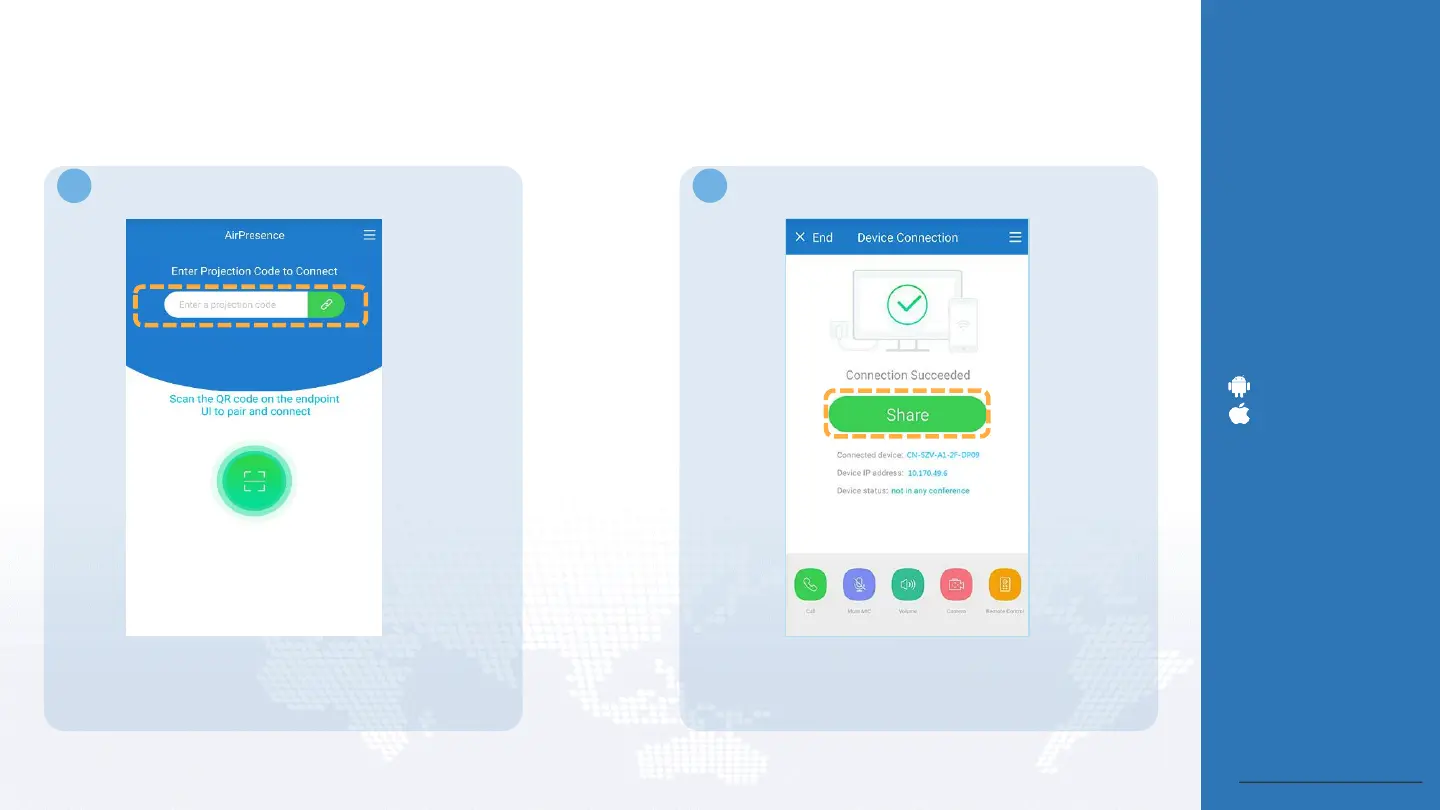
• Enter the projection code to connect to the endpoint.
• Start the AirPresence client on your mobile
device.
1 2
After the connection is set up, tap Share. Then choose
to share a document, image, or desktop.





 To Next Page