12
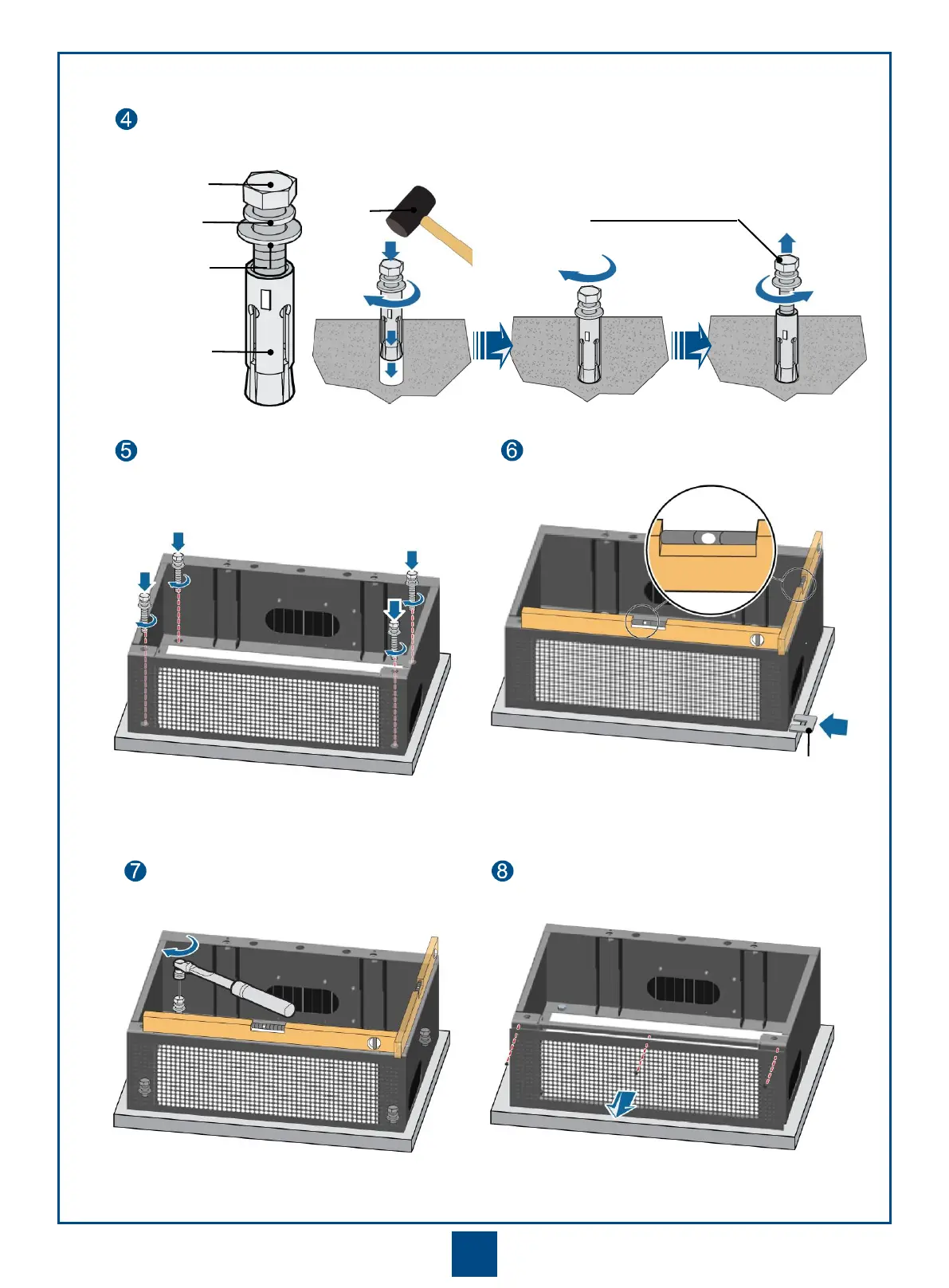
Install the expansion bolt assembly.
Spring washer 12
M12x60 bolt
Expansion tube
Rubber
mallet
Remove the spring washer,
flat washer, and bolt.
Flat washer 12
Remove the front cover of the base.
Adjust the base level.
Tighten the bolts by using a
torque wrench.
Position the base, and then screw the bolt
with the spring washer and flat washer.
Adjust the base level by adding certain pads to the bolts
between the base and the concrete pad.







 To Next Page