Memory Card (Optional)
3
1
Introduction
After the battery is correctly placed, connect the
power cord of the charger to your phone and connect
the charger to the power socket.
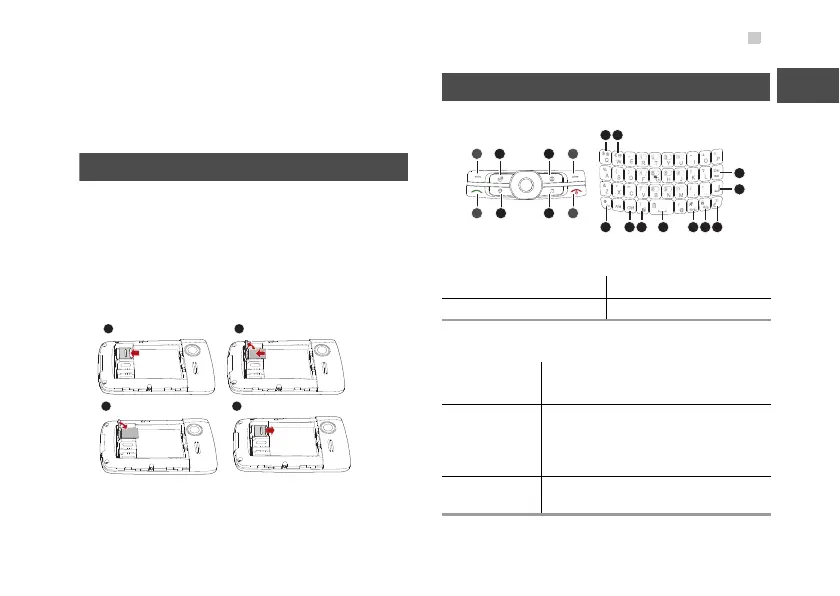
Memory Card (Optional)
Your phone supports the memory card of 2 GB.
Before inserting or removing the memory card, dis
-
connect the charger, switch off your phone, and
remove the battery case cover and the battery. Insert
the memory card according to the following figure.
Keys
Shortcut keys:
Basic function keys:
2 Email key 3 Browser key
6 Music key 7 IM key
1/4
Selection
keys
Perform the corresponding functions
displayed above these keys.
5
End key
• Switch on and off your phone by
holding down this key.
• Return to the standby mode and
reject or end a call.
8
Call key
Answer a call or view call records in
standby mode.
1
9 10
19 18 17 1516 14 13
11
12
2 3 4
5678



 To Next Page