1
1Introduction
About This Guide
This guide describes how to find and use the func-
tions of menus of your phone. If you customize the
main menu, you can find and use the menus accord
-
ing to your customized path.
Contacts > Desired item. In standby mode, press the
left soft key to access the main menu. Scroll to Con
-
tacts and then press the scroll key to confirm the
selection.
Options > Desired item. In the active window, access
Options according to the prompt displayed in the
prompt area.
The guide describes keys as follows: For example, A/
a indicates a key marked with A/a; A indicates a key
marked with the letter A; Ctrl+A indicates that press
Ctrl and A.
Packing List
Use the battery, charger, and other accessories that
are compatible with your mobile phone.
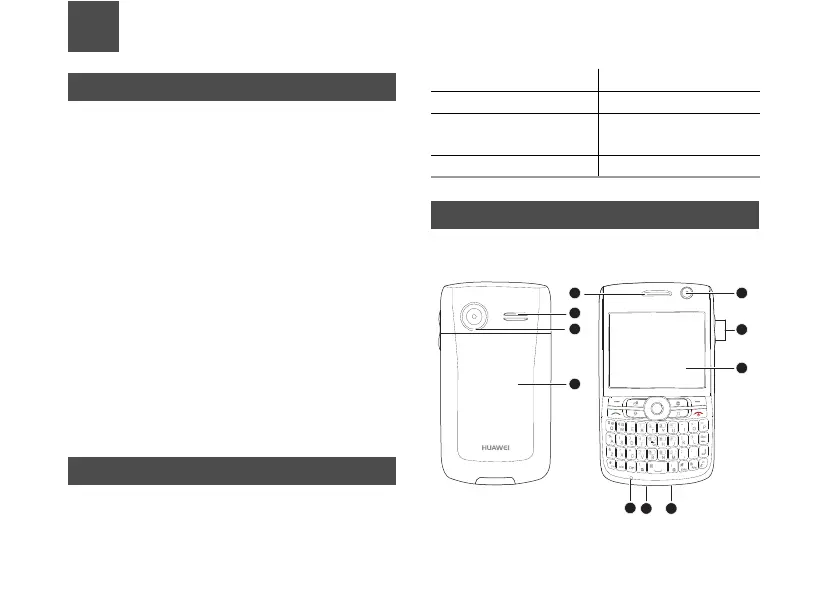
Appearance of Your Phone
Supports WCDMA/HSDPA 850/1900, GSM/GPRS/
EDGE
850/900/1800/1900, and network auto-switch.
One mobile phone One travel charger
One rechargeable battery One User Guide
One USB data cable
(optional)
One headset (optional)
One CD (optional)



 To Next Page